
Phase D: Slot Assignment & Publishing
Assign speakers to time slots and publish the agenda
Last Updated: 2026-06-13 — Speaker states aligned to the 8-state model (ADR-009 / Epic 11); the removed
slot_assigned/confirmedstates replaced by derivedis_slot_assigned/is_publishableflags.
Status: Implemented
Duration: 1 week
Event State Transitions: SPEAKER_IDENTIFICATION → SLOT_ASSIGNMENT → AGENDA_PUBLISHED
Speaker States: QUALITY_REVIEWED stays; assigning a slot sets the derived
is_slot_assigned / is_publishable flags
Overview
Phase D assigns approved speakers to specific time slots and publishes the finalized agenda.
Key Concept: Slot assignment does not change the speaker’s workflow state. When you assign a QUALITY_REVIEWED speaker to a time slot (sets session.start_time), the derived flag is_slot_assigned becomes true, which makes is_publishable (QUALITY_REVIEWED AND is_slot_assigned) true. There is no separate slot_assigned or confirmed state under ADR-009 — those are read-time derived flags.
Key Deliverable: Published event agenda with complete schedule and all assigned speakers publishable
Slot Assignment
Navigate to the Speakers tab and switch to Sessions view to manage slot assignments.
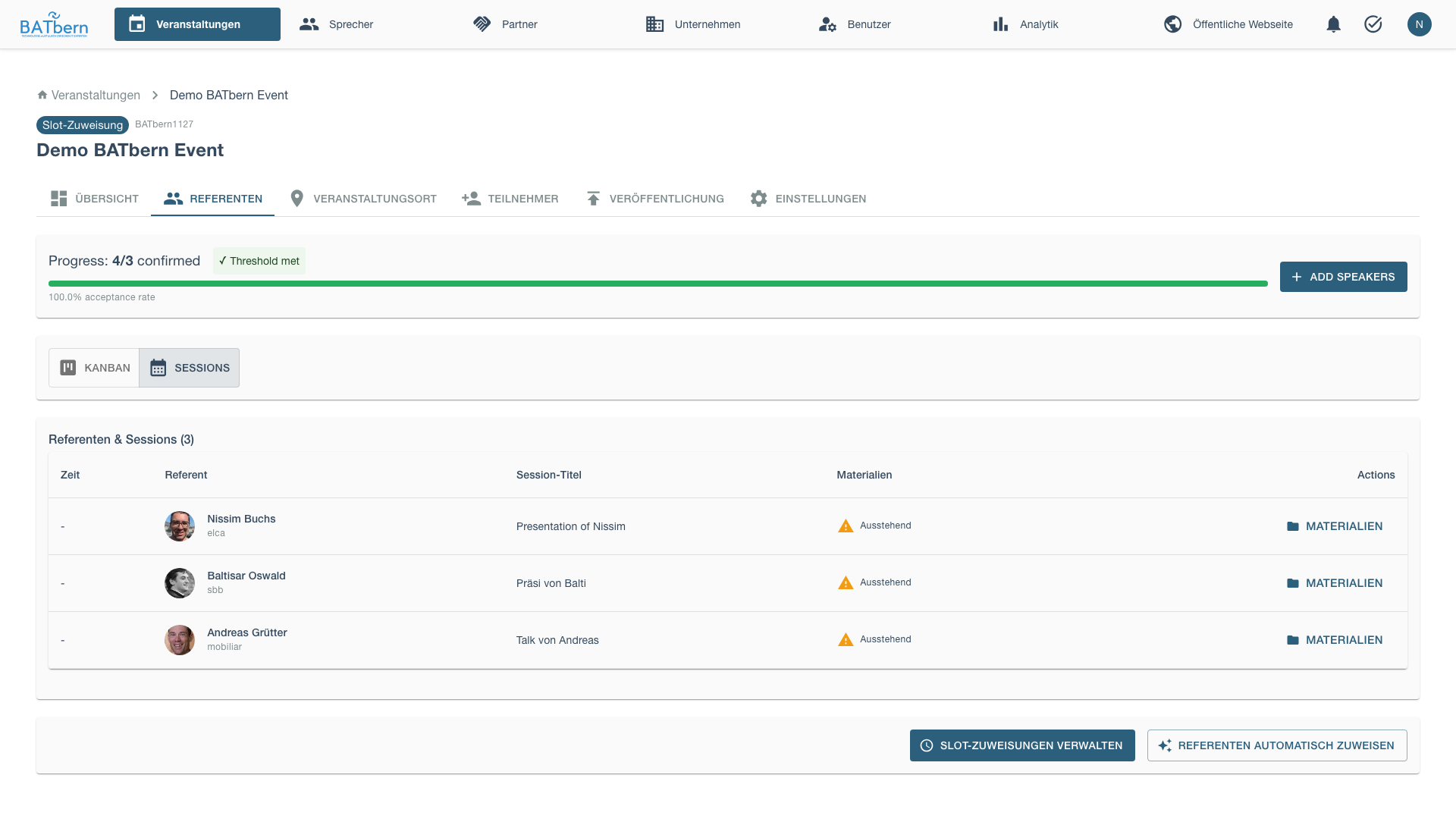
Click Manage Slot Assignments to open the assignment interface.
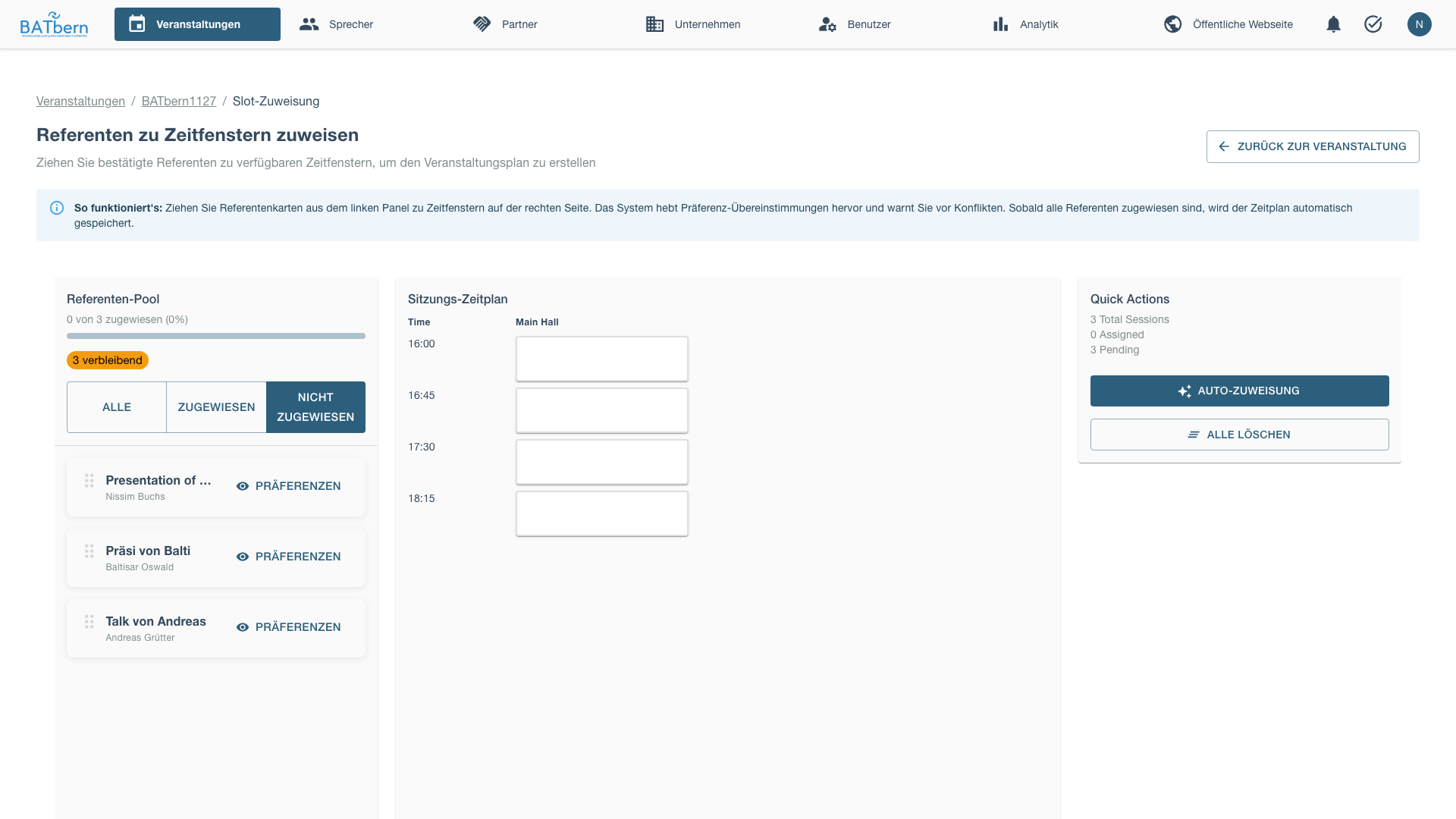
Before auto-assignment:
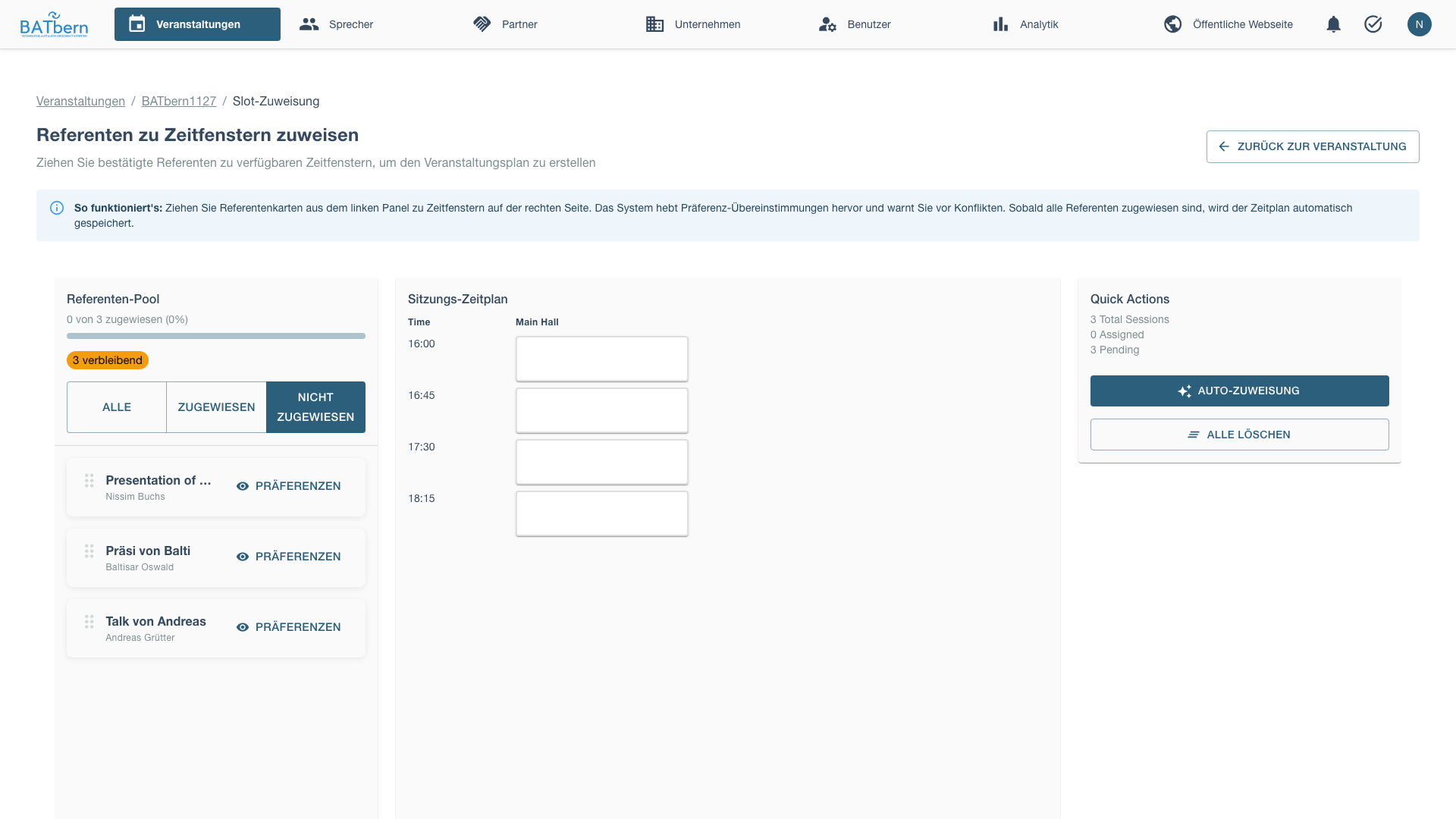
Use the Auto-Assign feature to automatically assign presentations to available slots.
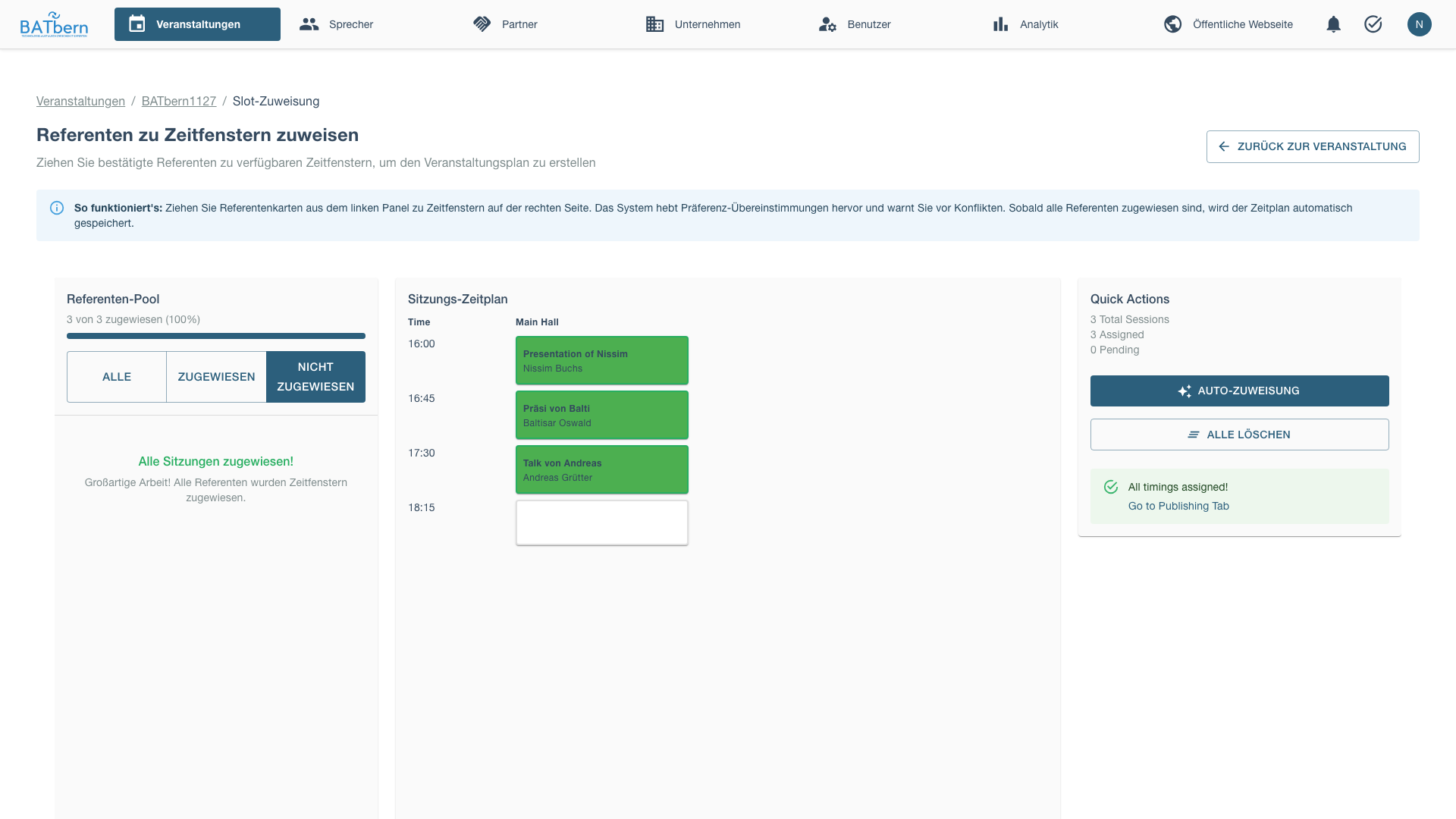
After auto-assignment completes:
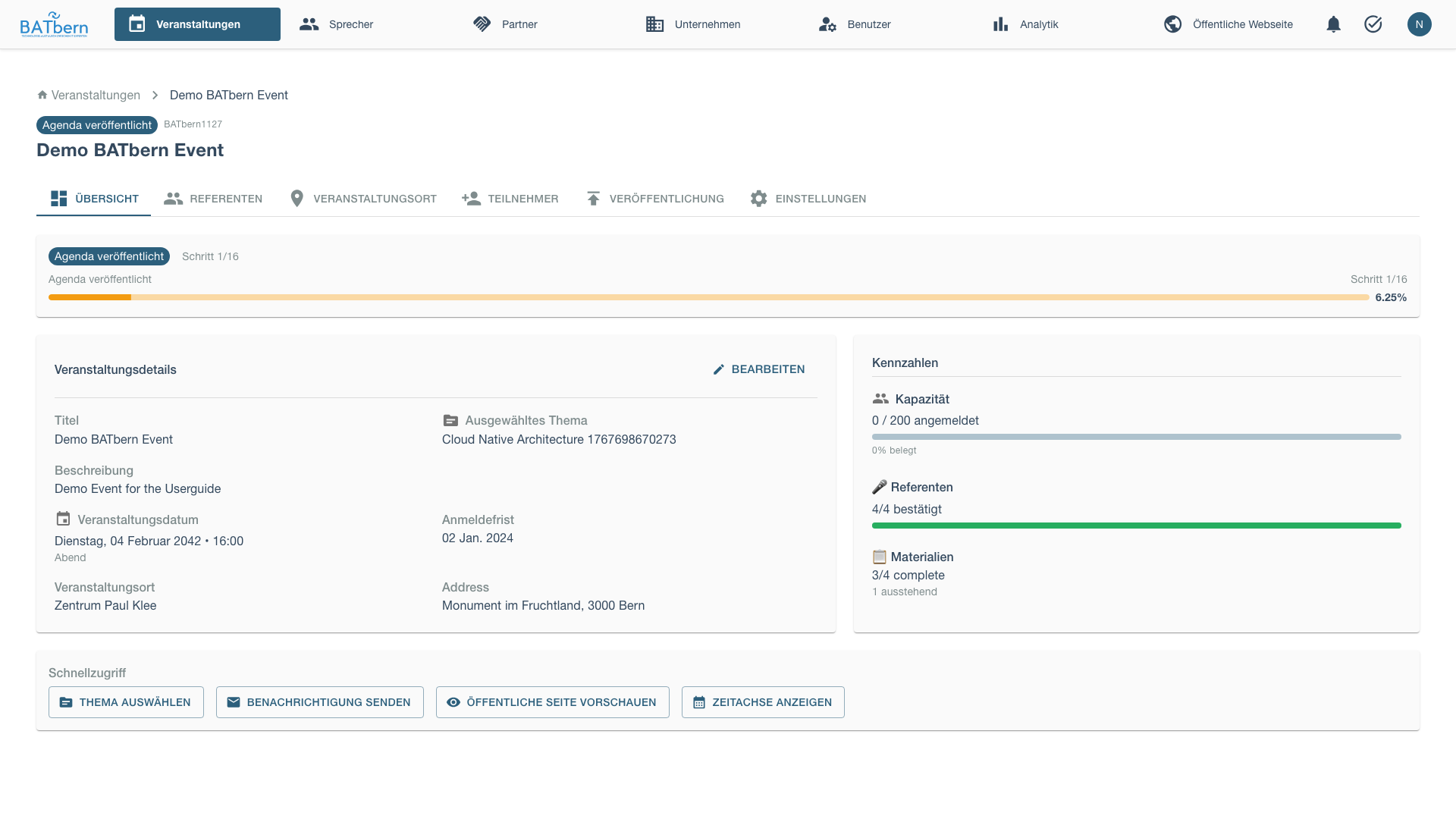
Return to event page:
Publishing the Agenda
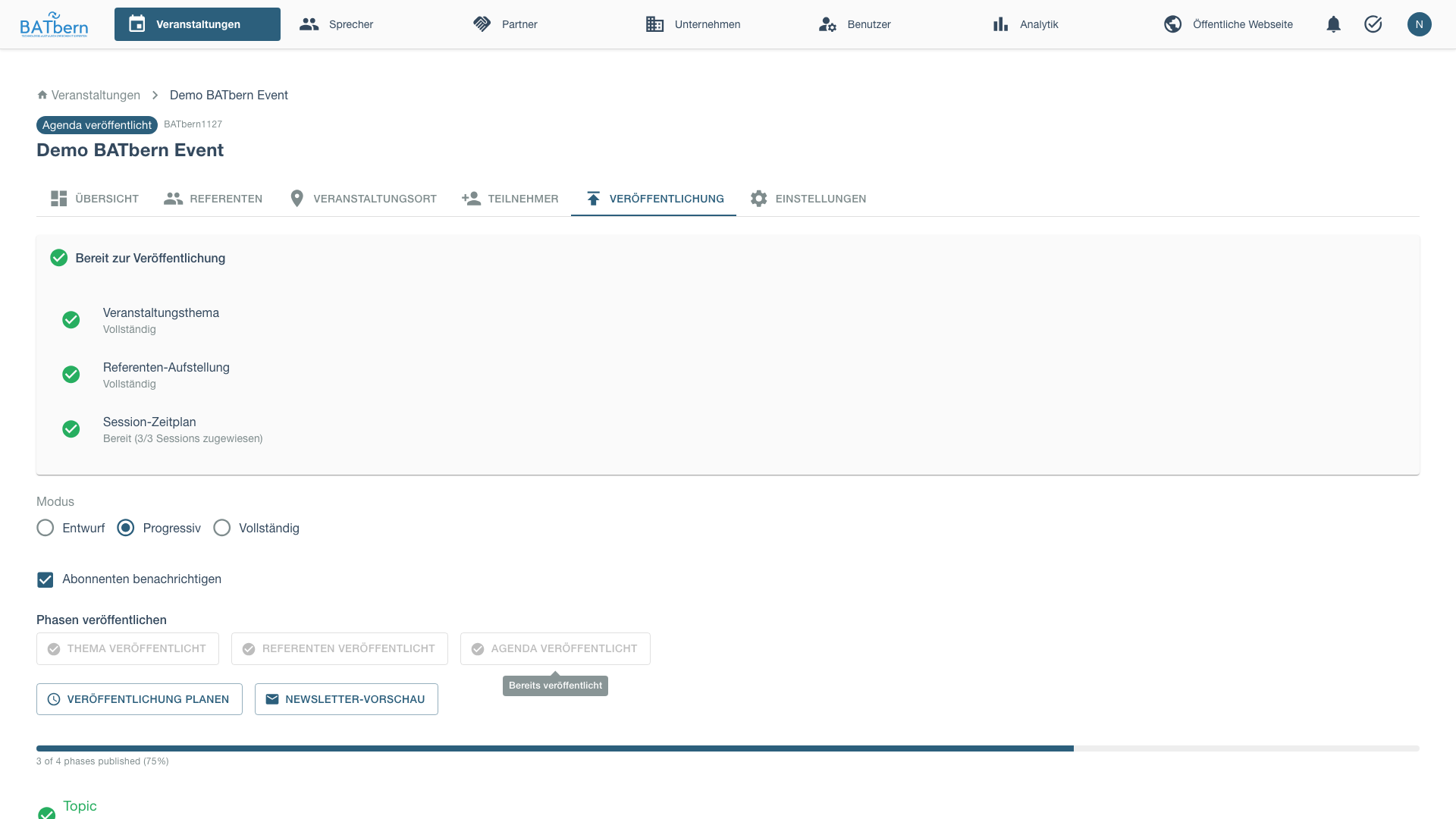
After assigning all sessions to slots, navigate to the Publishing tab.
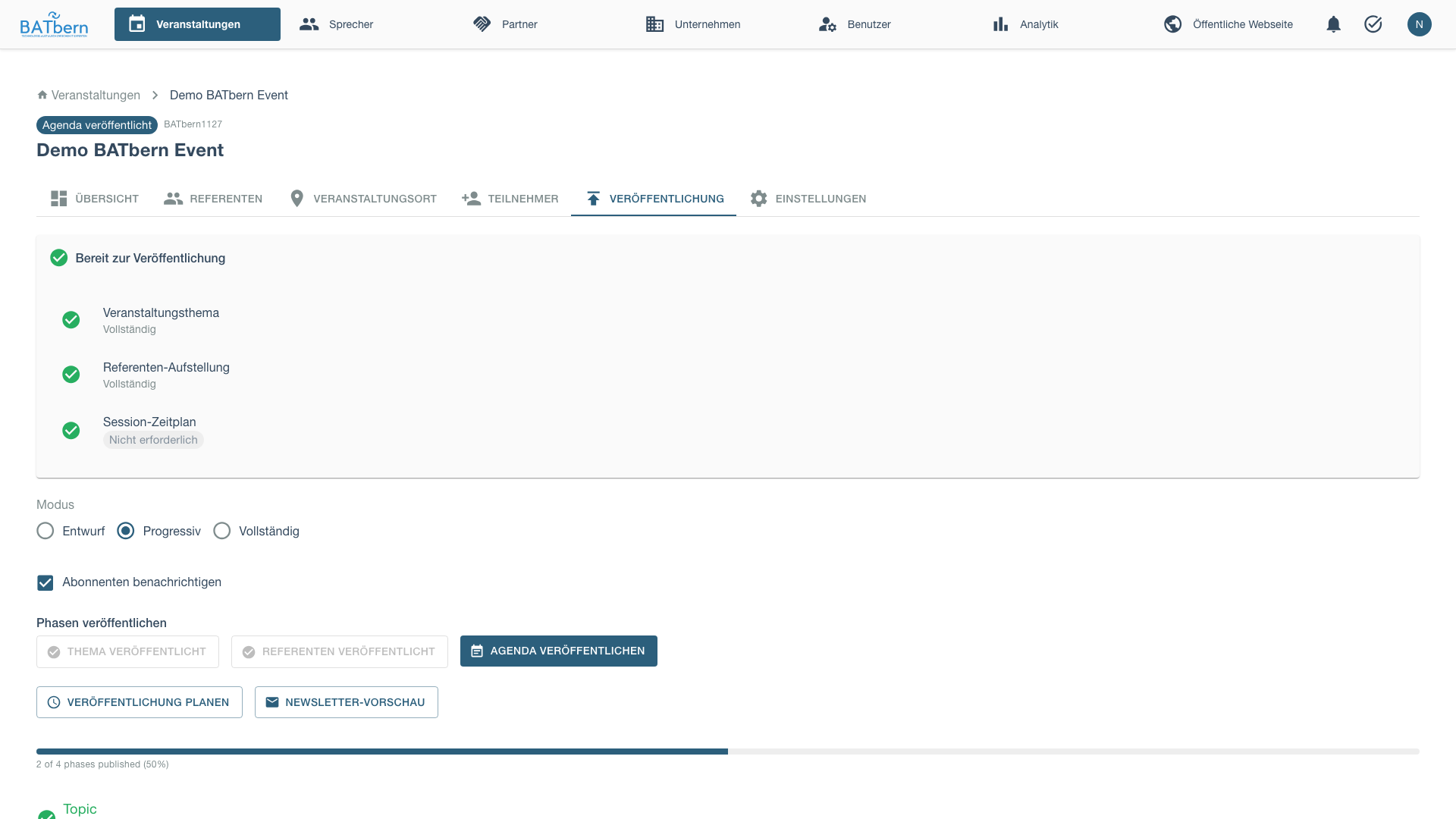
Before publishing the agenda:
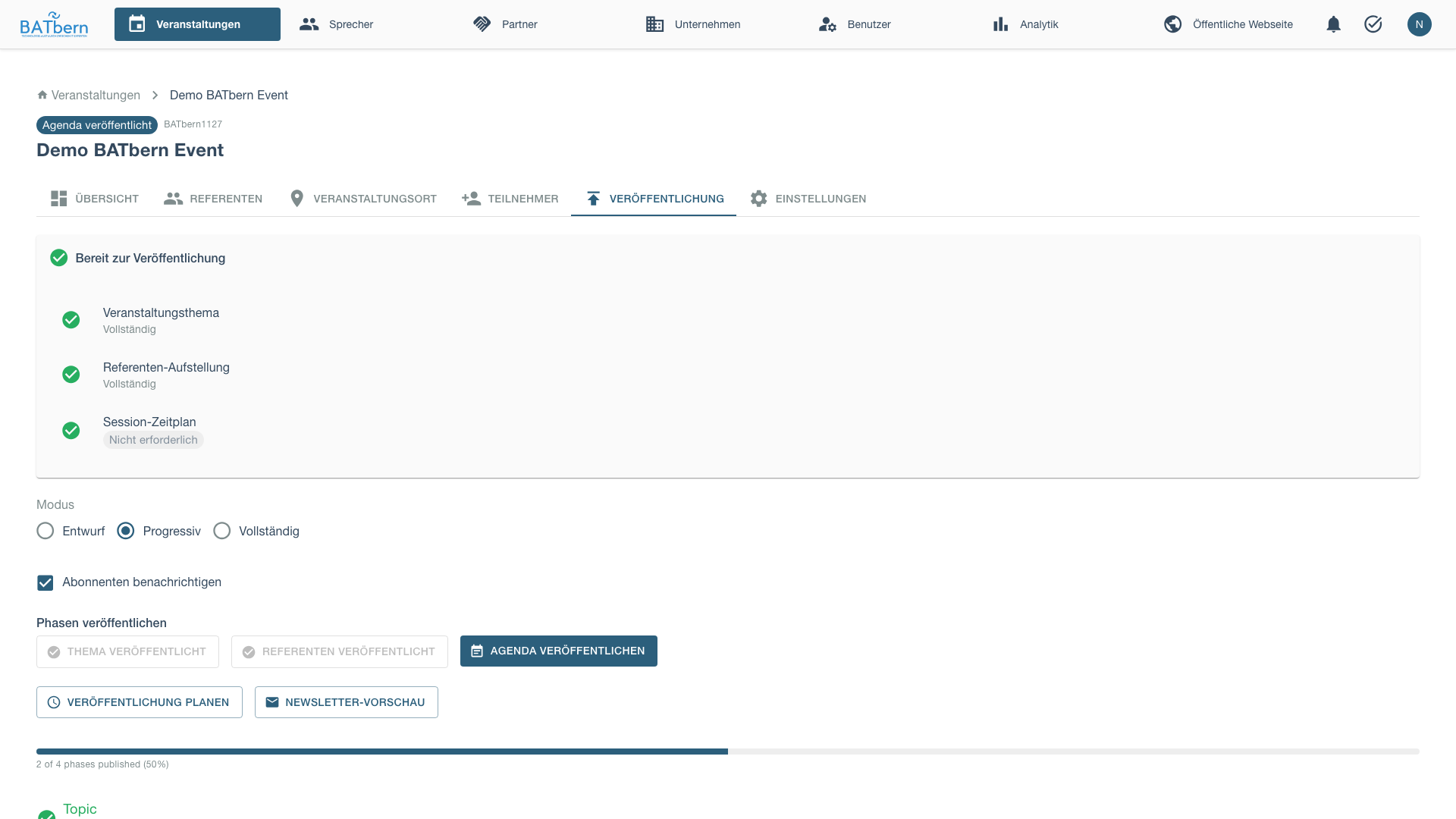
Click Publish Agenda to make the schedule public:
Step 9: Assign Speakers to Time Slots
Implemented
Purpose
Assign approved presentations to available event time slots using the auto-assign feature.
Acceptance Criteria
- ✅ All approved presentations assigned to slots
- ✅ Schedule conflicts resolved automatically
- ✅ Event ready for agenda publication
How to Use Auto-Assign
The system automatically assigns presentations to available slots, balancing the schedule and avoiding conflicts.
Open Slot Assignment Interface
From the Speakers tab, switch to Sessions view and click Manage Slot Assignments.
The slot assignment page shows all available time slots and unassigned presentations.
Use Auto-Assign Feature
Click Auto-Assign to open the automatic assignment modal.
The system will:
- Distribute presentations across available time slots
- Balance topics across parallel tracks (if applicable)
- Avoid scheduling conflicts
- Optimize for speaker preferences (if configured)
Review the proposed assignments and confirm.
Manual Adjustments (Optional)
After auto-assignment, you can manually adjust the schedule:
- Drag presentations to different slots
- Swap presentations between tracks
- Adjust timing to accommodate speaker constraints
All changes are validated to prevent conflicts.
Complete Slot Assignment
Once satisfied with the schedule, save the assignments.
Event state: SPEAKER_IDENTIFICATION → SLOT_ASSIGNMENT
Derived publish-readiness: Assigning a slot sets session.start_time, which makes the derived flag is_slot_assigned true. Any QUALITY_REVIEWED speaker with an assigned slot is then is_publishable (QUALITY_REVIEWED AND is_slot_assigned). These flags are computed at read time — no workflow-state write happens on slot assignment.
No
slot_assignedstate (ADR-009). Slot assignment no longer moves the speaker to an intermediateslot_assignedstate — that state was removed. A speaker who drops out after being scheduled is moved to terminalDECLINED(reason recorded inspeaker_status_history).
Step 10: Publish the Agenda
Implemented
Purpose
Make the finalized event agenda publicly available to attendees and stakeholders.
How to Publish
Navigate to Publishing Tab
From the event management interface, open the Publishing tab.
This tab shows all publishable content for the event (topics, speakers, agenda).
Publish Agenda
Click Publish Agenda to make the schedule publicly visible.
The agenda publication includes:
- Complete session schedule with time slots
- Speaker assignments for each session
- Session titles and descriptions
- Track information (for multi-track events)
Verify Publication
Check that the agenda appears on the public event page.
Attendees can now view:
- Full event schedule
- Session details
- Speaker information
- Track assignments
Event state: SLOT_ASSIGNMENT → AGENDA_PUBLISHED
Auto-created Tasks:
- Newsletter: Speakers (due: 30 days before event)
Phase D complete! ✅
Phase D Completion
Success Criteria
- ✅ All approved presentations assigned to time slots
- ✅ Schedule conflicts resolved
- ✅ Agenda published successfully
- ✅ Event state = AGENDA_PUBLISHED
Late Withdrawals by Publishable Speakers
A speaker who is already QUALITY_REVIEWED and scheduled (i.e. is_publishable) can still drop out. Move them to terminal DECLINED (the previous state + reason are recorded in speaker_status_history) to free the slot. Freeing a slot lets the slot-capacity gate admit another READY → INVITED, so you can promote and invite a backup candidate.
What Happens Next
Phase E: Archival (post-event):
- Event archival process
- Historical data preservation
- Reporting and analytics
See Phase E: Publishing → for archival procedures.
Troubleshooting Phase D
“Auto-assign fails with scheduling conflicts”
Problem: Auto-assign cannot find valid assignment for all presentations.
Solution:
- Check for over-booking (more presentations than available slots)
- Review speaker availability constraints that may conflict
- Manually assign problematic presentations first, then auto-assign remainder
- Consider adding more time slots or removing lower-priority presentations
“Cannot publish agenda - missing slot assignments”
Problem: Agenda publication blocked due to unassigned presentations.
Solution:
- Return to slot assignment interface
- Ensure all approved presentations have time slots
- Use auto-assign to fill remaining slots
- Verify all assignments saved before attempting publication
“Published agenda shows incorrect schedule”
Problem: Public agenda doesn’t match assigned slots.
Solution:
- Clear browser cache and refresh event page
- Verify assignments were saved correctly in slot management
- Re-publish agenda from Publishing tab
- Check that no manual edits were lost during save
Related Topics
- Phase C: Quality → - Previous phase
- Phase E: Publishing → - Next phase
- Event Management → - Event sessions
API Reference
POST /api/events/{id}/workflow/step-9         Complete Step 9 (Slot Assignment)
POST /api/events/{id}/workflow/step-10        Complete Step 10 (Publish Agenda)
POST /api/events/{id}/sessions/auto-assign    Auto-assign presentations to slots
PUT  /api/events/{id}/sessions/{sid}/assign   Manually assign presentation to slot
GET  /api/events/{id}/schedule                 Get current schedule
POST /api/events/{id}/agenda/publish           Publish agenda
See API Documentation for complete specifications.