
Phase C: Quality Review
Review content quality and validate minimum threshold
Last Updated: 2026-06-13 — Speaker states aligned to the 8-state model (ADR-009 / Epic 11); revision flow corrected to the Cognito speaker portal (magic links removed).
Status: Implemented
Duration: 1-2 weeks
Event State: SPEAKER_IDENTIFICATION (unchanged during quality review)
Speaker States: CONTENT_SUBMITTED → QUALITY_REVIEWED
Overview
Phase C ensures submitted content meets quality standards before public release. Organizers review each presentation for relevance, clarity, and audience fit.
Key Concept: The event state remains SPEAKER_IDENTIFICATION during quality review. Individual speakers transition from CONTENT_SUBMITTED to QUALITY_REVIEWED as their content is approved.
Key Deliverable: Quality-reviewed speakers ready for slot assignment in Phase D
Publishing Speakers
Before reviewing content, publish the speakers from the Publishing tab.
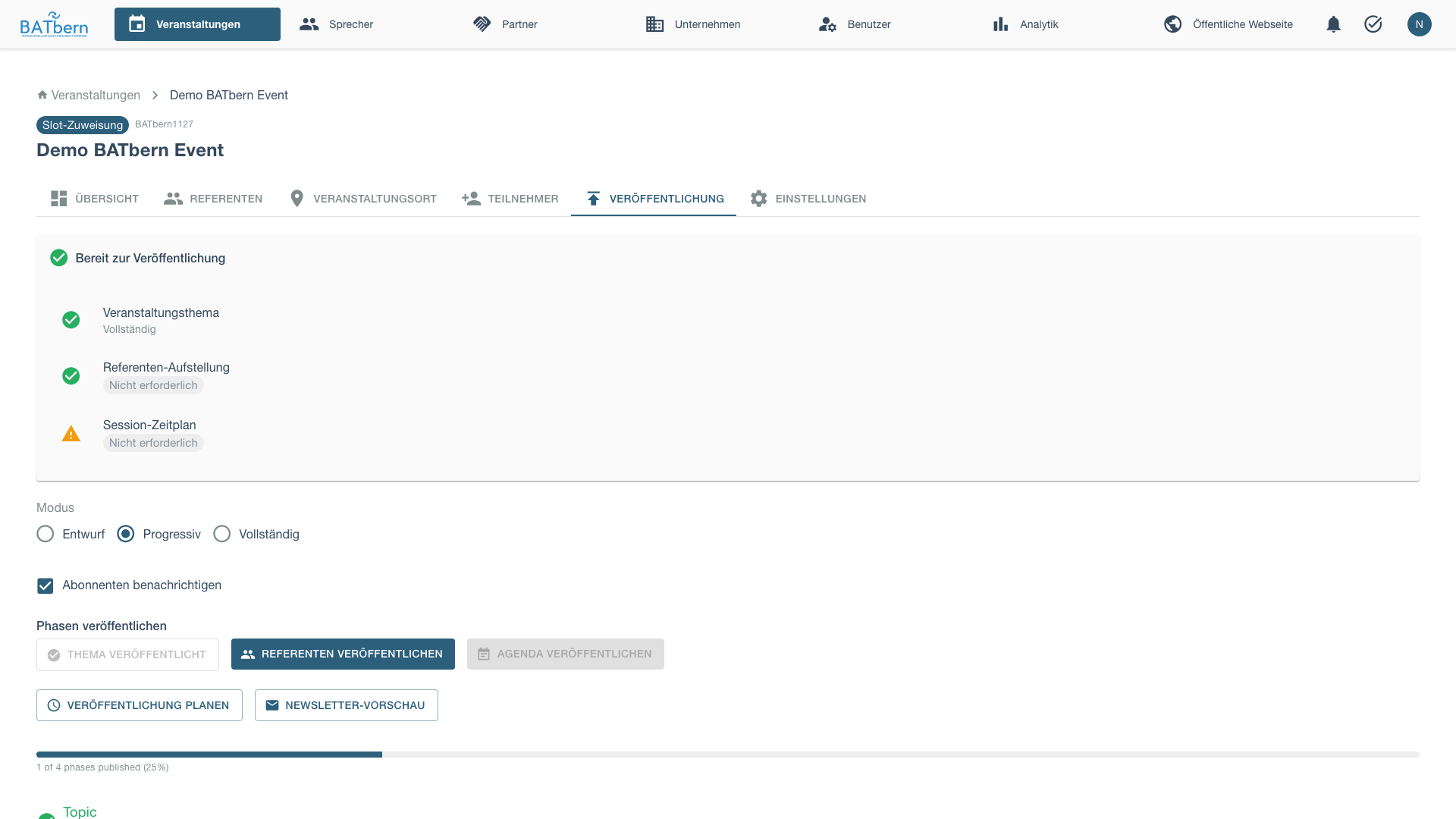
After publishing speakers:
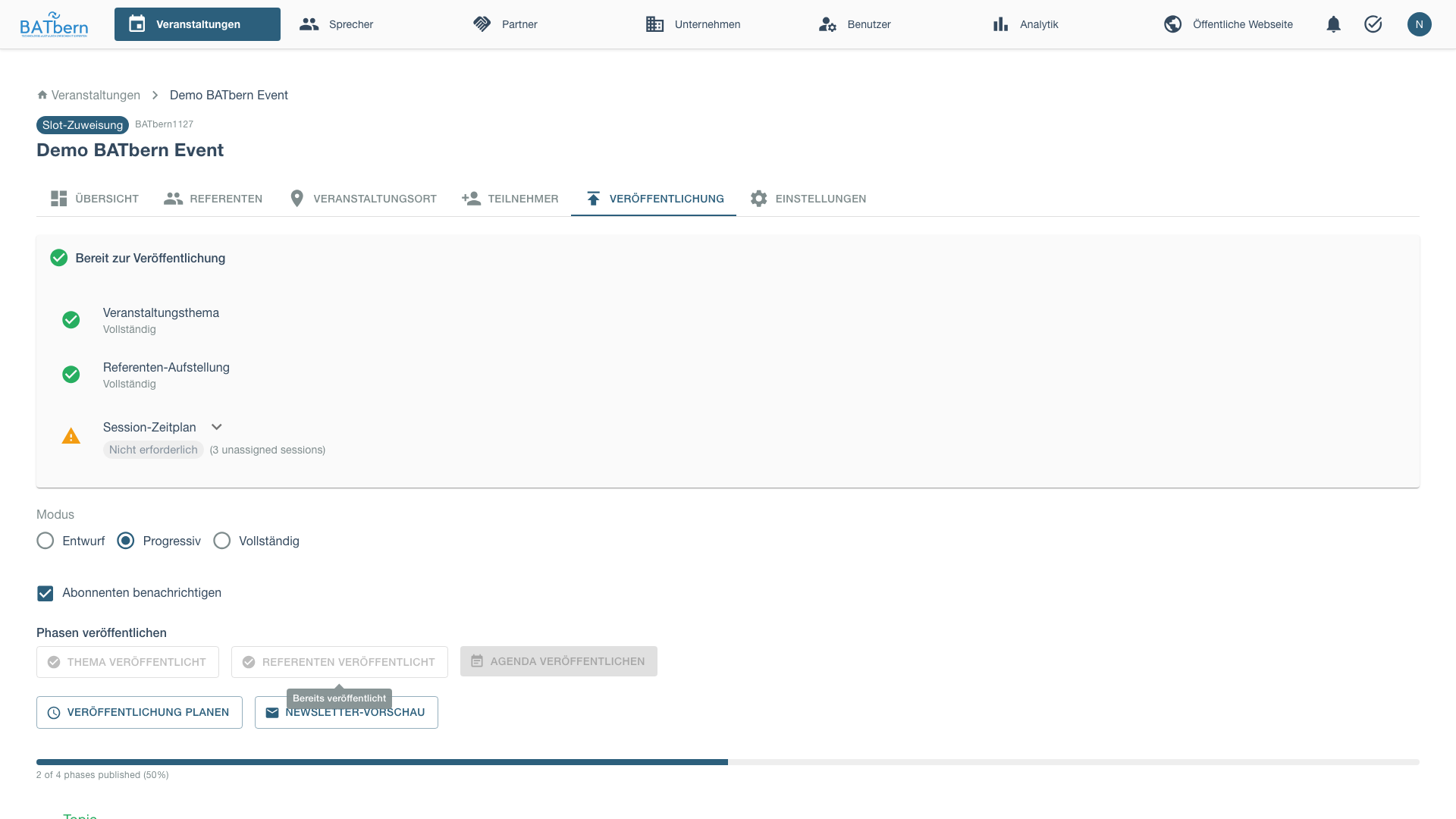
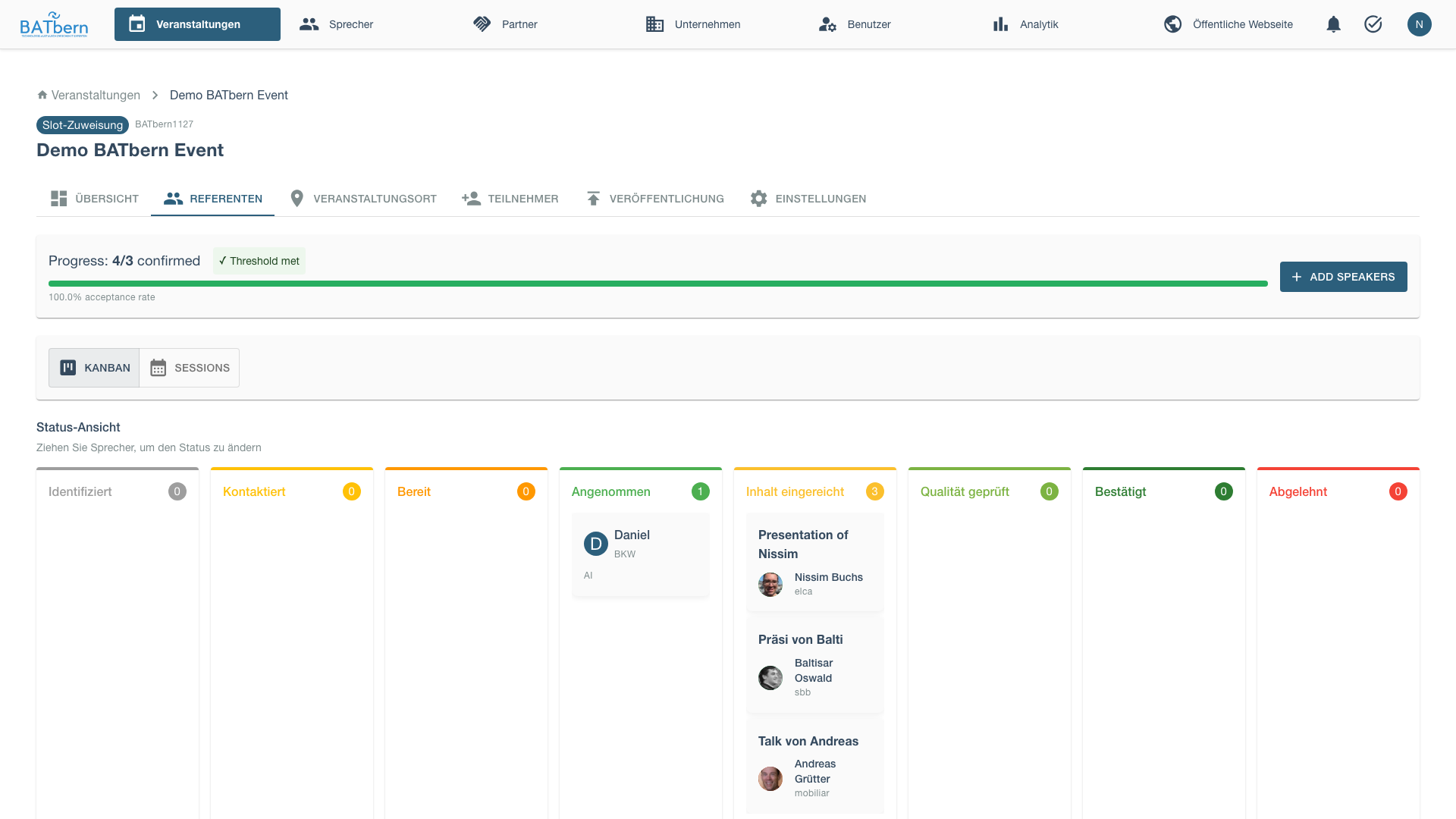
Return to the Speakers tab to begin content review:
Step 7: Content Quality Review
Implemented
Purpose
Systematically review speaker content to ensure presentations meet BATbern quality standards.
Acceptance Criteria
- ✅ All submitted content reviewed by at least 1 organizer
- ✅ Quality scores assigned (1-5 scale)
- ✅ Revision requests sent for insufficient content
- ✅ All speakers either APPROVED or REVISION_REQUESTED
Quality Criteria
Relevance (1-5):
- Aligns with selected topic
- Appropriate for BATbern audience (architects)
- Current and applicable content
Clarity (1-5):
- Clear presentation structure
- Well-defined learning objectives
- Concise and understandable abstract
Originality (1-5):
- New perspective or insights
- Not generic/basic content
- Demonstrates expertise
Completeness (1-5):
- All required fields provided
- Adequate detail in abstract
- Realistic learning objectives
How to Complete
Open Review Queue
Navigate to the Speakers tab after publishing speakers. Open the quality review drawer for each presentation.
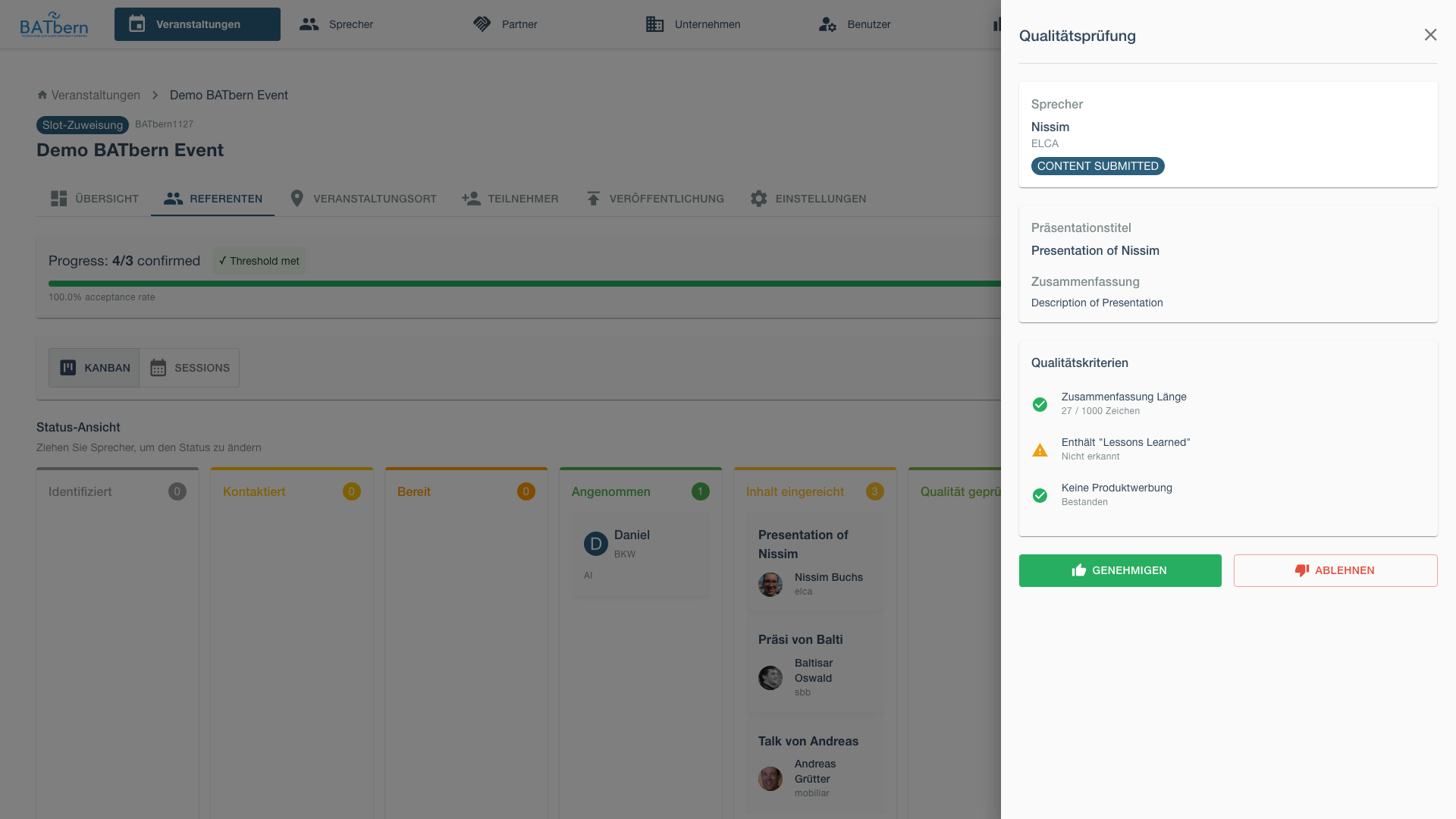
Review Submission
The content review interface displays:
- Speaker name, company, and current workflow status
- Presentation title and abstract with character count
- Uploaded materials (if available) with download link to review presentation files
- Quality criteria checklist:
- Abstract length ≤ 1000 characters
- “Lessons learned” detection (English/German keywords)
- No product promotion detected
- Professional tone assessment
- Action buttons: [Approve] and [Reject]
Make Decision
After reviewing the content, approve it to move the speaker to QUALITY_REVIEWED.
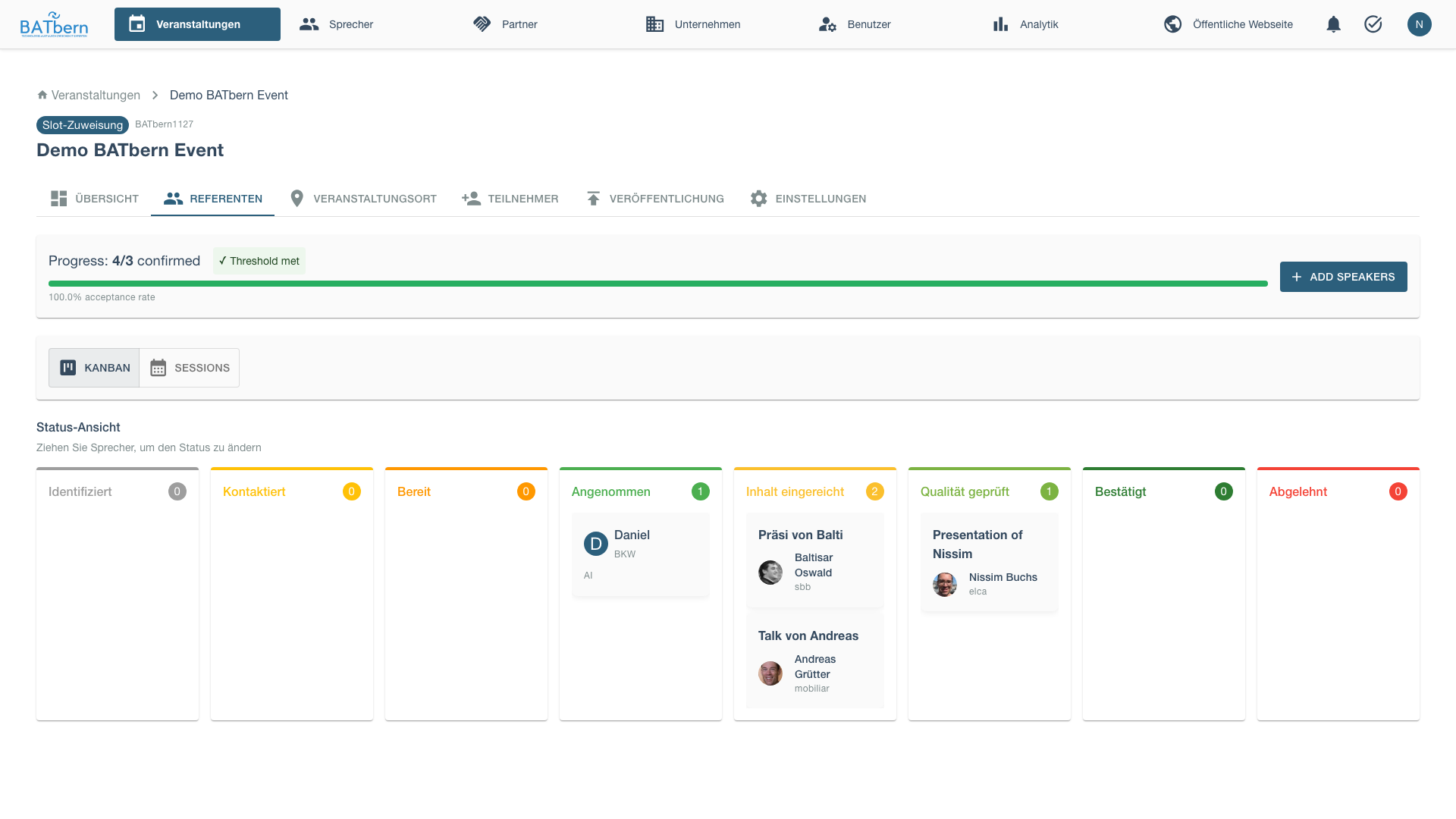
Approve (score ≥ 3.5):
- Speaker status:
CONTENT_SUBMITTED→QUALITY_REVIEWED - Event state: Still SPEAKER_IDENTIFICATION (unchanged)
- Speaker ready for slot assignment (Phase D)
- Becomes
is_publishableonce a slot is assigned (derived flag — no separateconfirmedstate)
Request Revision / Reject:
- Speaker notified via email with:
- Detailed feedback explaining what needs to change
- A link to the Cognito-authenticated speaker portal where they log in (email/password or “Continue with Google”) to revise — no magic links
- Direct access to their content revision page after login
- Speaker content status set to REVISION_NEEDED
- Rejection feedback displayed in speaker contact history and versioned on the
ContentSubmissionrecord (reviewerFeedback,reviewedBy,reviewedAtfields) — visible in the speaker portal for the speaker to reference when revising - Re-review after speaker submits revised content
Permanently Reject (insufficient quality):
- Speaker moved to terminal
DECLINED(reason recorded inspeaker_status_history; replaces the oldwithdrew) - Activate backup candidate
Send Revision Request (if needed)
When you reject content, the speaker automatically receives an email with:
- Personalized greeting thanking them for their submission
- Your feedback explaining what needs to change
- A link to the Cognito-authenticated speaker portal (they log in with their existing credentials — email/password or “Continue with Google”)
- Direct access to the content revision page after login
- Clear next steps for resubmission
The rejection feedback is also saved to the speaker’s contact history, visible to all organizers in the unified speaker drawer.
Complete Review
Once all submissions reviewed, you’re ready for Phase D (Slot Assignment).
Note: Event state remains SPEAKER_IDENTIFICATION (unchanged). Individual speakers have transitioned to QUALITY_REVIEWED state.
Review Best Practices
Be Constructive:
- Explain WHY revisions needed
- Provide specific examples
- Suggest improvements
Consistent Standards:
- Use same criteria for all speakers
- Multiple reviewers should calibrate scores
- Document rationale for borderline cases
Time Management:
- Review 2-3 submissions per day
- Don’t batch all at end (spreads workload)
- Allow 1 week for speaker revisions
Parallel Processing:
- Quality review and slot assignment can happen in any order
- You can assign slots in Phase D before all quality reviews complete
- A speaker becomes
is_publishablewhen BOTHQUALITY_REVIEWEDAND a slot is assigned (regardless of order)
Idempotent State Transitions:
- Re-submitting a speaker to their current state is a safe no-op — the system accepts it without creating duplicate history entries.
Phase C Completion
Success Criteria
- ✅ All content reviewed and scored
- ✅ Minimum speakers at
QUALITY_REVIEWEDstate - ✅ All topics have quality-reviewed speakers
- ✅ Event state = SPEAKER_IDENTIFICATION (unchanged - progresses in Phase D)
What Happens Next
Phase D: Assignment begins:
- Quality-reviewed speakers ready for slot assignment
- Capacity is enforced upstream at invitation time (slot-capacity gate on
READY → INVITED), so there is no separate overflow pool to manage here - Drag-and-drop scheduling interface
- Speakers become
is_publishableonce assigned to slots
See Phase D: Assignment → to continue.
Troubleshooting Phase C
“Too many rejections”
Problem: Many speakers rejected for quality issues.
Solution:
- Work with borderline speakers on revisions
- Activate backup candidates immediately
- Consider event scope adjustment
- Extend phase timeline if deadline allows
“Revision requests ignored”
Problem: Speakers not responding to revision requests.
Solution:
- Follow up via phone (more personal)
- Offer to help edit content
- Set firm deadline (3 days)
- Move to
DECLINEDif no response, activate backup
“Reviewer disagreement on quality scores”
Problem: Multiple reviewers score same content very differently.
Solution:
- Calibration meeting to align standards
- Use average of all reviewer scores
- Senior organizer breaks ties
- Document scoring guidelines for consistency
Related Topics
- Phase B: Outreach → - Previous phase
- Phase D: Assignment → - Next phase
- Speaker Management → - Speaker content
API Reference
POST /api/events/{id}/workflow/step-7                       Complete Step 7 (Quality Review)
POST /api/events/{id}/workflow/step-8                       Complete Step 8 (Threshold Validation)
PUT  /api/v1/events/{code}/speakers/{speakerId}/status      Approve content → QUALITY_REVIEWED (delegates to SpeakerWorkflowService)
GET  /api/events/{id}/quality-metrics                       Get threshold status
See API Documentation for complete specifications.