
Phase B: Outreach
Engage speakers, track responses, and collect presentation content
Last Updated: 2026-06-13 — Speaker states aligned to the 8-state model (ADR-009 / Epic 11); promote-to-
READYprovisioning gate and redesigned kanban board documented.
Status: Implemented
Duration: 4-6 weeks
Event State: SPEAKER_IDENTIFICATION (event remains in this state while speakers progress)
Speaker States: IDENTIFIED → CONTACTED → READY → INVITED → ACCEPTED → CONTENT_SUBMITTED
Overview
Phase B focuses on speaker engagement. You’ll contact identified candidates, promote the chosen speaker to READY (which provisions their account), send the formal invitation, track their responses through their individual speaker workflows, and collect presentation content from accepted speakers.
Key Concept: The event remains in SPEAKER_IDENTIFICATION state while individual speakers progress through their own parallel 8-state workflows (IDENTIFIED → CONTACTED → READY → INVITED → ACCEPTED → CONTENT_SUBMITTED, per ADR-009).
The provisioning gate (CONTACTED → READY): While IDENTIFIED and CONTACTED are still “brainstorming” states (no account exists), promoting a candidate to READY is the moment the system looks up or creates the User, grants the SPEAKER role, and provisions the AWS Cognito account. Promotion is organizer-only. The speaker then logs in via Cognito (email/password or “Continue with Google”) — there are no magic links.
Key Deliverable: Accepted speakers with submitted content ready for quality review
Step 4: Speaker Outreach Tracking
Implemented
Purpose
Systematically contact speaker candidates and track communication history to ensure no candidate falls through the cracks.
Acceptance Criteria
- ✅ All identified candidates contacted
- ✅ Contact attempts logged with dates
- ✅ Response status tracked for each candidate
- ✅ Follow-up reminders sent as needed
Outreach Strategy
Initial Contact Timeline:
- Day 1: Contact high-priority candidates (past speakers, thought leaders)
- Day 3: Contact medium-priority candidates
- Day 7: Contact low-priority candidates (if still needed)
Staging Approach:
- Don’t contact all candidates simultaneously
- Contact in waves based on priority
- Preserves backup options if high-priority speakers decline
How to Complete
Open Outreach Dashboard
Navigate to Step 4 in the workflow.
Outreach dashboard displays all candidates in a Kanban board by status.
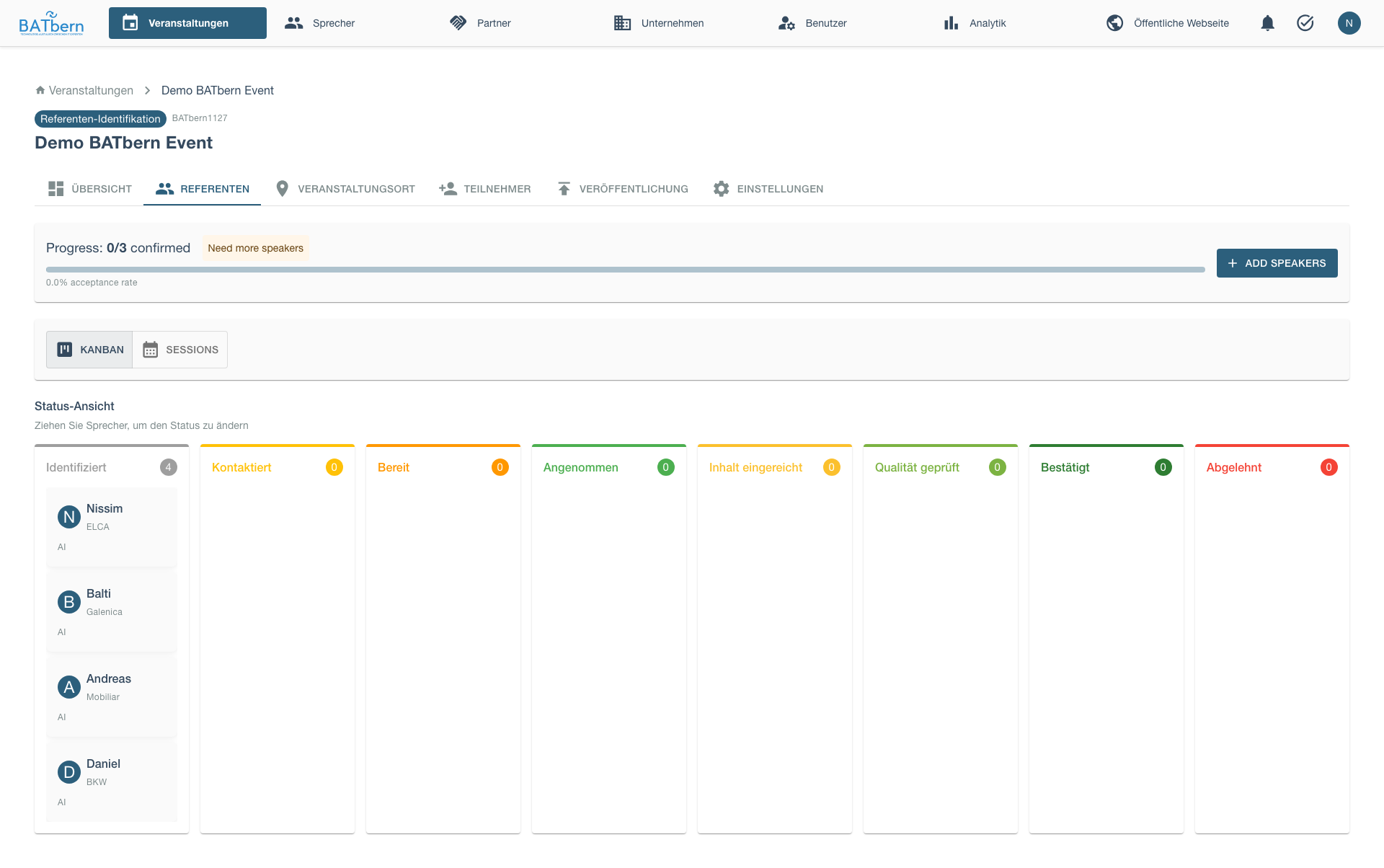
The Kanban board supports drag-and-drop to update speaker status as you contact them and receive responses.
Redesigned kanban board (Story 11.D.x + speaker-drawer redesign 10-30): the board uses guided drag — when you pick up a speaker card, only the columns representing valid next states (per the 8-state machine) are highlighted as drop targets; illegal moves are rejected. Each column exposes a primary-action button (e.g. Promote to READY, Send Invitation) so the common transition is one click, and cards use time-in-state colour coding to surface speakers who have been stalled in a state too long. Clicking a card opens the unified speaker drawer, where the Details, Content, and history sub-tabs live in one place.
Select Candidates to Contact
Select high-priority candidates for initial wave. The candidate selection interface displays checkboxes for each candidate with their priority level (High/Medium/Low), a “Select All” option, and a [Send Invitation Email] button to send bulk invitations to selected candidates.
Send Invitation Email
Click Send Invitation Email.
The email template editor opens with pre-filled content including: recipient email, subject line (“Invitation to speak at BATbern [Year]”), personalized greeting, event overview (date, type, location, expected audience), presentation format (duration and Q&A allocation), invitation rationale based on speaker expertise, response deadline, organizer signature, and action buttons ([Edit Email] [Send] [Cancel]) to review, modify, and send the invitation.
Customize as needed, then click Send.
Log Contact
Before contacting a speaker:
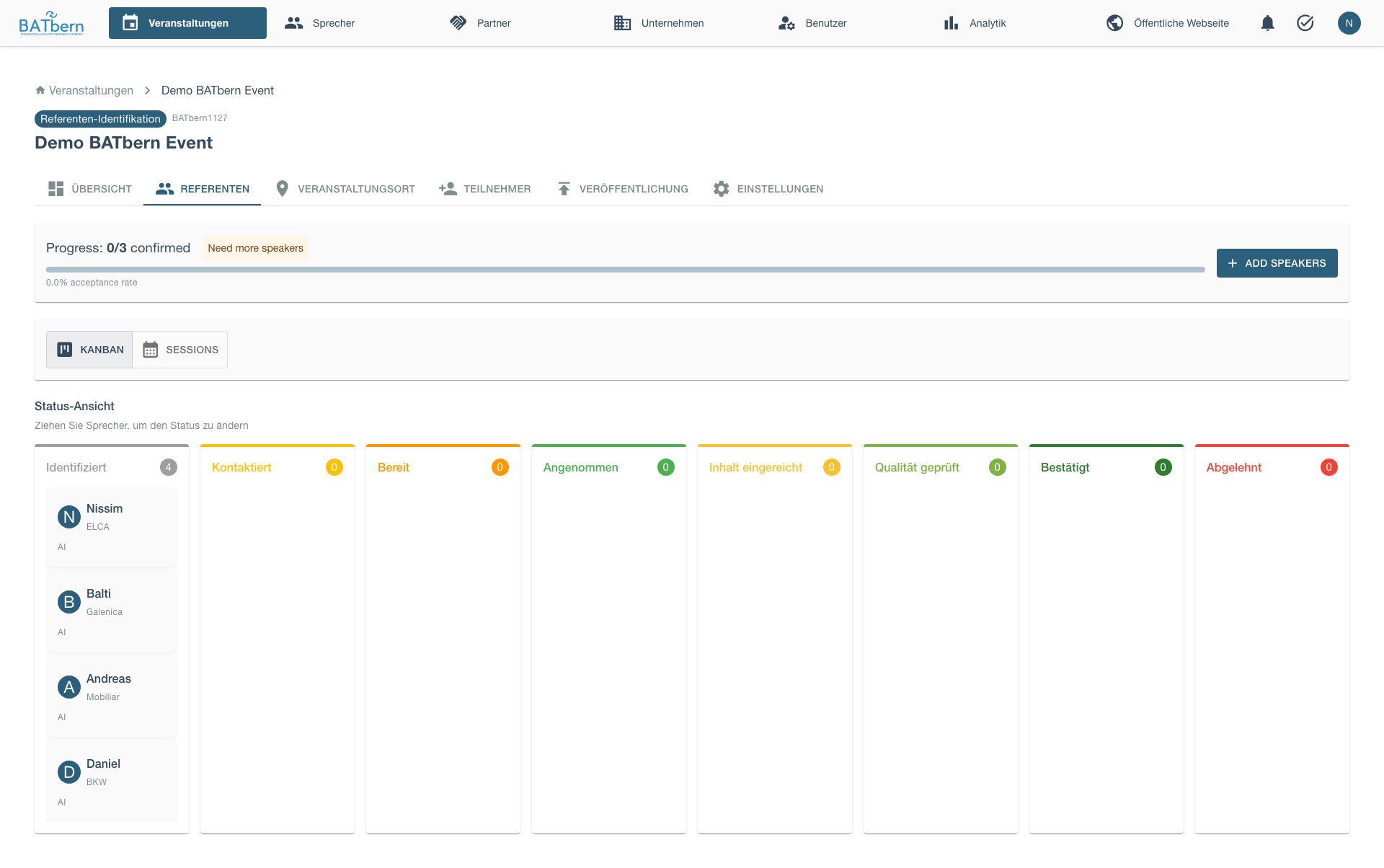
After sending, speaker status updates:
- Speaker Status:
IDENTIFIED→CONTACTED - Event Status: Still SPEAKER_IDENTIFICATION (unchanged)
- Contact log entry created with timestamp
- Follow-up reminder scheduled (3-5 days)
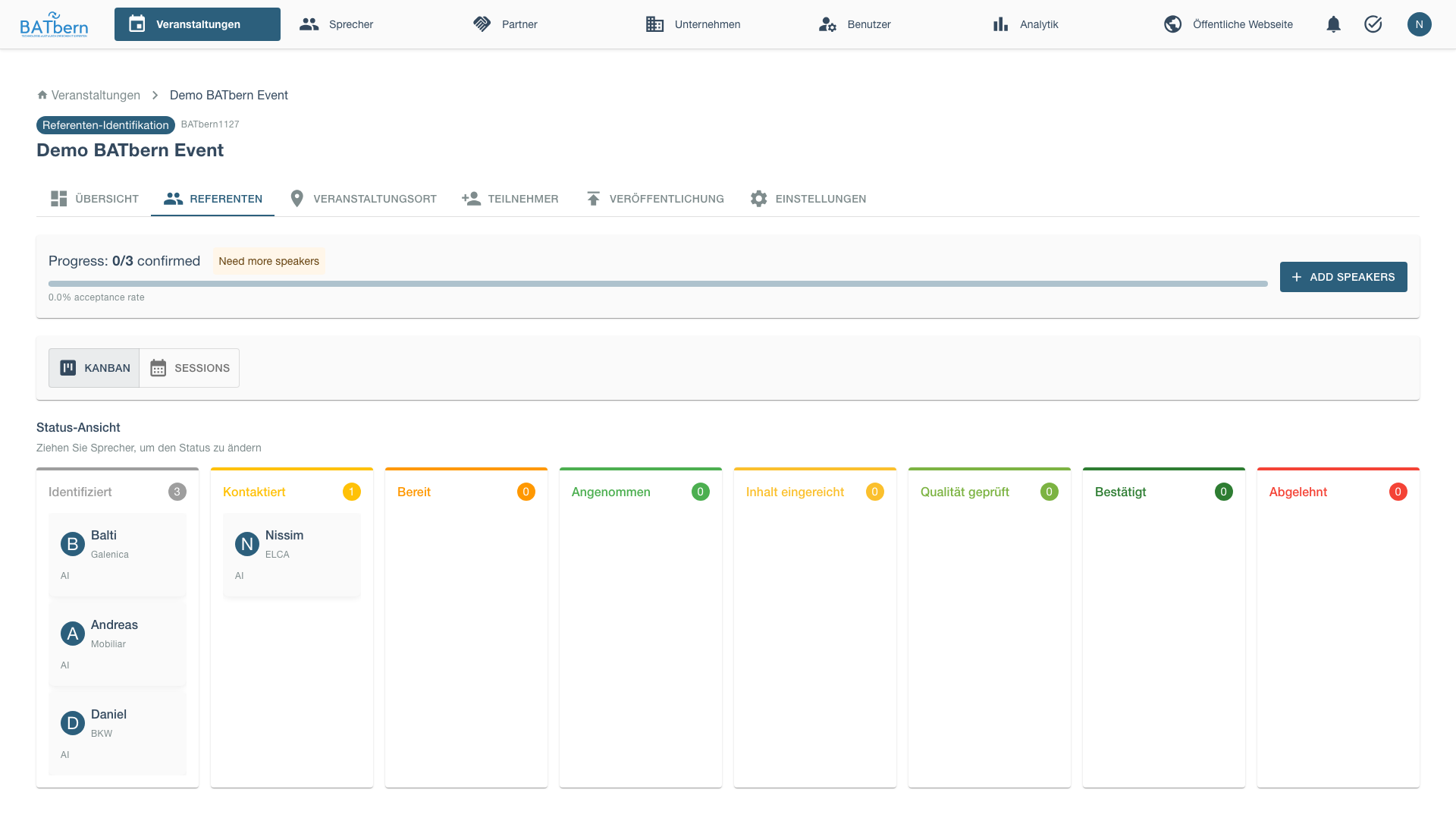
The contact history log displays a chronological timeline of all interactions with a speaker: timestamp, contact method (Email Sent, Phone Call, etc.), subject line or summary, current status (CONTACTED, INTERESTED, etc.), and next scheduled action with date.
After contacting all speakers, the Kanban board shows them in the “Contacted” column:
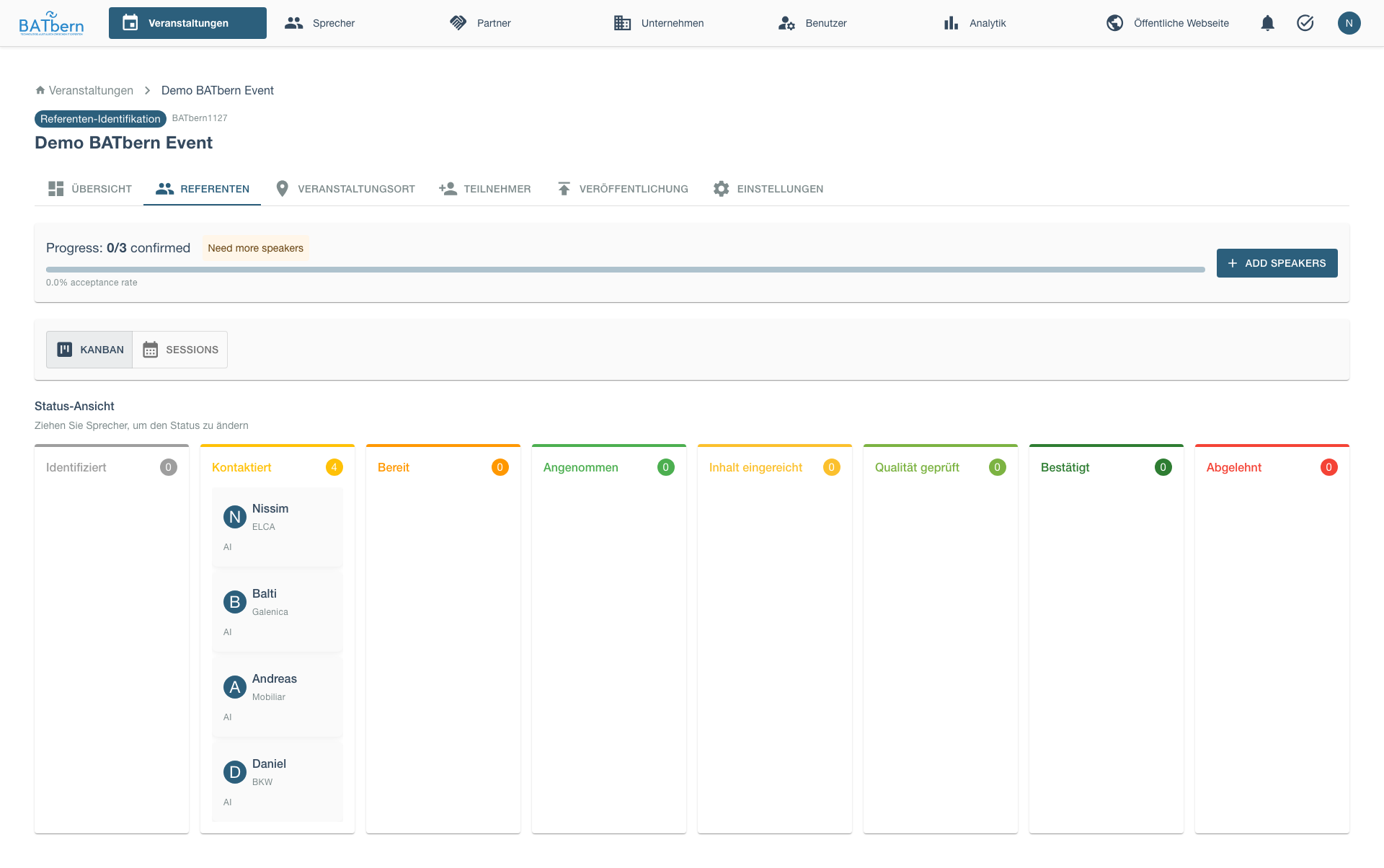
Promote, Invite, and Track Responses
Once you’ve decided who will actually speak, promote the chosen candidate from CONTACTED to READY (the Promote to READY primary-action button). This provisions the speaker’s account (User + SPEAKER role + Cognito). Promotion is organizer-only.
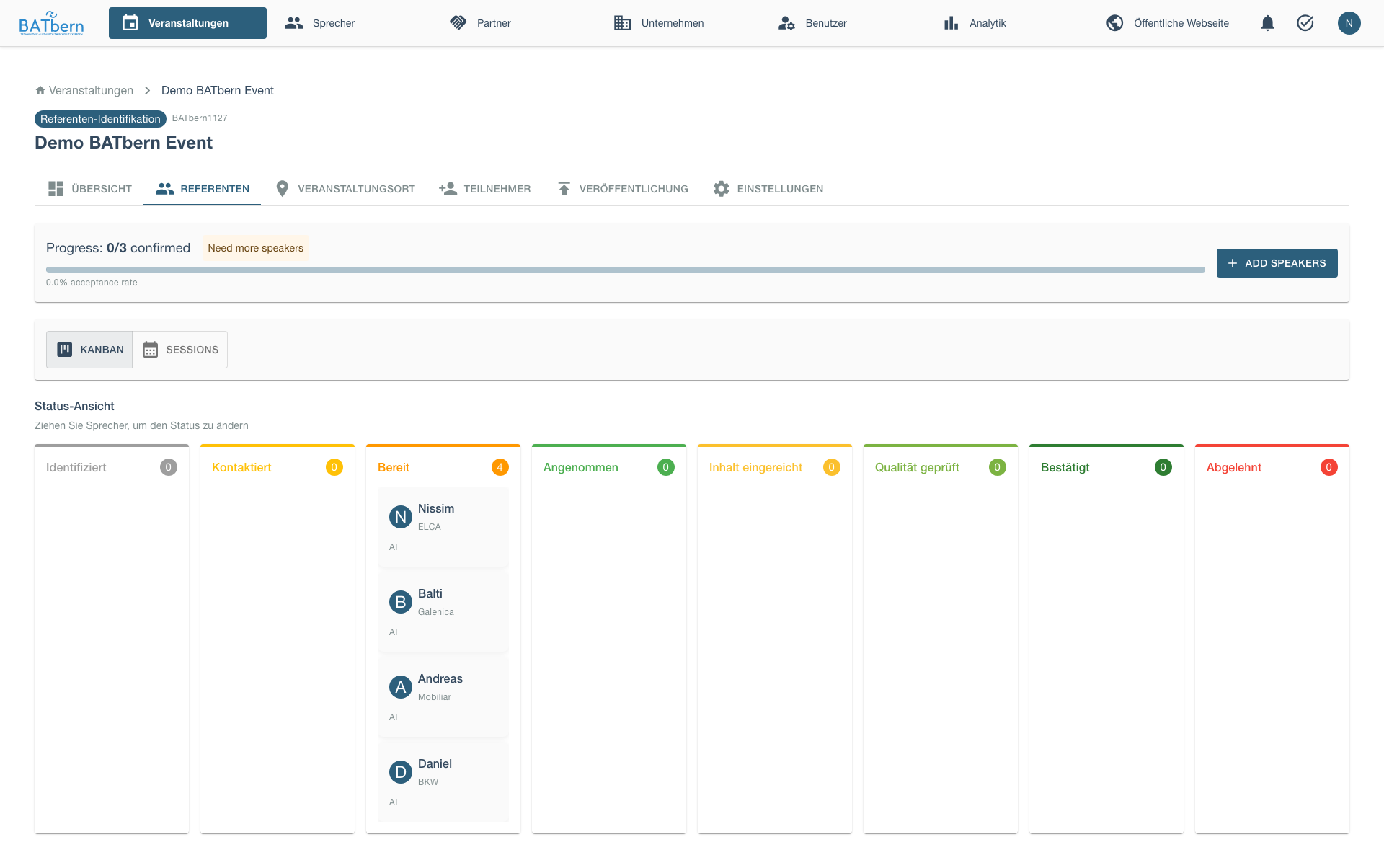
Then send the formal invitation to move the speaker from READY to INVITED. The invitation email carries a login link + temporary password. The READY → INVITED step is subject to the slot-capacity gate — it is blocked when count(ACCEPTED) + count(INVITED) >= max_slots, so you cannot over-invite beyond the available slots (this replaces the old overflow parking state).
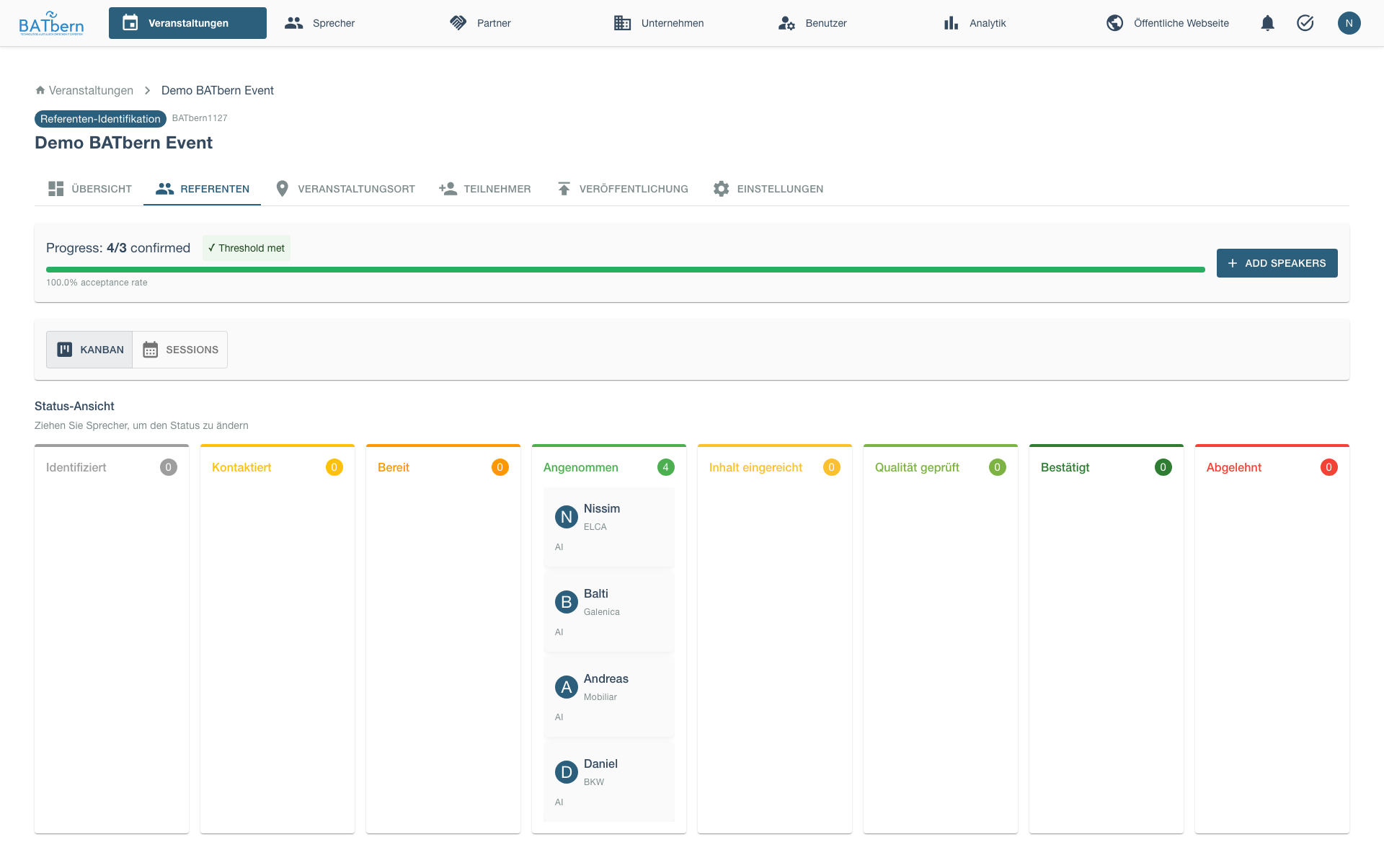
When speakers respond via the portal, their card moves from INVITED to ACCEPTED (or to DECLINED).
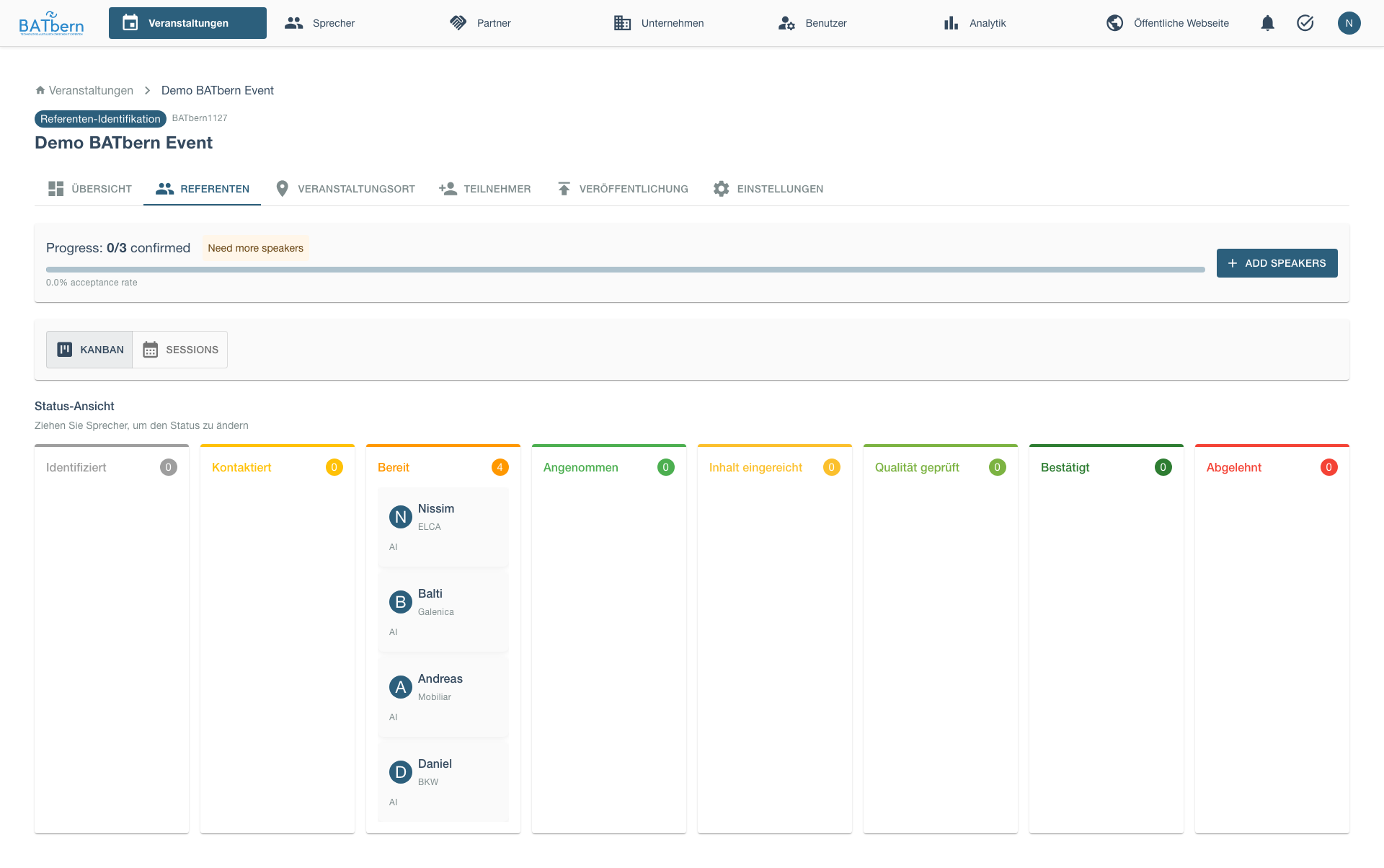
After all confirmations, your outreach board shows speakers in the Accepted column.
Send Follow-Ups
For non-responders after 3-5 days, send reminder. The system displays candidates needing follow-up with their contact date and days since initial contact. A [Send Follow-Up Reminder] button sends a polite follow-up email with a subject line referencing the original invitation, a brief reminder of the opportunity, and an updated response deadline.
Handle Declines
If a speaker declines, the system displays the decline notification with date and reason (if provided), and action buttons: [Mark as DECLINED] to move them to the terminal DECLINED state (the previous state + reason are recorded in speaker_status_history), and [Contact Backup Candidate] to initiate outreach to the next priority candidate from the same topic. Freeing the slot lets the slot-capacity gate admit another READY → INVITED.
Complete Outreach
Once minimum speakers show interest, click Complete Outreach.
Event state remains: SPEAKER_IDENTIFICATION (no state advance at this step; the event stays in SPEAKER_IDENTIFICATION throughout Phases B and C).
Outreach Metrics
Planned
Track outreach effectiveness. The Outreach Metrics dashboard displays: total candidates contacted, interested count with response rate percentage, declined count and percentage, no-response count and percentage, average response time in days, fastest and slowest response times with speaker names for reference.
Step 5: Speaker Status Management
In Progress
Purpose
Track speaker progression from interest through content submission, ensuring timely advancement and identifying blockers.
Acceptance Criteria
- ✅ All interested speakers have clear status
- ✅ Status transitions logged with timestamps
- ✅ Blockers identified and resolved (e.g., awaiting content guidelines)
- ✅ Minimum speakers reached CONTENT_SUBMITTED status
Speaker Status Flow (8-state — ADR-009)
READY state (provisioning gate):
CONTACTED → READYis organizer-only (the Promote action). It looks up or creates the User, grants the SPEAKER role, and provisions the AWS Cognito account. No email is sent at this step.INVITED state:
READY → INVITEDsends the invitation email (login link + temporary password) and is gated by slot capacity — blocked whencount(ACCEPTED) + count(INVITED) >= max_slots.DECLINED is terminal and reachable from every non-terminal state. It covers a lead that didn’t pan out, a refusal to an invitation, and a speaker who accepted then dropped out — replacing the old
withdrewstate. The previous state and reason are recorded inspeaker_status_history.No separate
slot_assigned/confirmed/overflowstates. Slot assignment and publish-readiness are now derived flags (is_slot_assigned,is_publishable); over-capacity is handled by the slot-capacity gate, not a parking state.
Status Definitions
| Status | Meaning | Organizer Action | Speaker Action |
|---|---|---|---|
| IDENTIFIED | On the brainstorm list; no account yet | Reach out / promote when chosen | - |
| CONTACTED | Still brainstorming; outreach recorded | Decide who will speak, then promote | Express interest |
| READY | Account provisioned (User + SPEAKER role + Cognito) | Send invitation (slot-capacity gate) | - |
| INVITED | Invitation email dispatched (login link + temp password) | Await response | Accept or decline via the portal |
| ACCEPTED | Committed to presenting | Send content guidelines | Submit content |
| CONTENT_SUBMITTED | Title + abstract received | Review content (Phase C) | - |
| QUALITY_REVIEWED | Content approved (happy end-state of content lifecycle) | Assign time slot (Phase D) | - |
| DECLINED | Terminal “not happening” state; reachable from any non-terminal state | Contact backup candidate | - |
Derived flags (not states):
is_slot_assigned := session.start_time IS NOT NULL;is_publishable := QUALITY_REVIEWED AND is_slot_assigned. These replace the removedslot_assignedandconfirmedstates.
How to Complete
Monitor Status Board
The speaker pipeline displays INTERESTED speakers in a grouped view showing speaker name, assigned topic, and a [Request Content] action button for each. Summary metrics show counts for Content Guidelines Sent, Awaiting Content, and Content Received. A [Send Bulk Reminder] button allows sending reminder emails to all speakers awaiting content submission.
Send Content Guidelines
For INTERESTED speakers, send content requirements:
To: hans.mueller@example.com
Subject: Content Guidelines - BATbern 2025

Hi Hans,

Great to have you confirmed for BATbern 2025!

Please submit the following by March 1, 2025:

Required:
- Presentation Title (≤100 characters)
- Abstract (≤1000 characters)
- 3-5 Learning Objectives

Optional:
- Target Audience (Beginner/Intermediate/Advanced)
- Prerequisites (required attendee knowledge)
- Supporting materials (slides, handouts)

Submit via the speaker portal: https://www.batbern.ch/speaker-portal
(log in with your invitation credentials — email/password or "Continue with Google")

Looking forward to your presentation!

Best,
Anna Schmidt

[Send]
Track Content Submissions
Monitor submission progress:
Content Submission Progress
────────────────────────────────────────
Target: 12 confirmed speakers
Deadline: March 1, 2025 (14 days remaining)

Status:
✅ Submitted: 6 speakers (43%)
⏳ In Progress: 4 speakers (29%)
⚠️ Not Started: 4 speakers (29%)

Recently Submitted:
- Hans Müller (2025-02-16)
- Peter Weber (2025-02-18)
- Lisa Meier (2025-02-19)

Overdue / At Risk:
⚠️ Martin Fischer (contacted 14 days ago, no content)
⚠️ Sophie Keller (said "in progress" 7 days ago)

[Send Reminder to At-Risk Speakers]
Send Reminders
For speakers approaching deadline:
To: martin.fischer@example.com
Subject: Content Reminder - BATbern 2025 (Due March 1)

Hi Martin,

Friendly reminder that your presentation content for BATbern 2025
is due March 1 (in 5 days).

We still need:
- Presentation Title
- Abstract (≤1000 characters)
- Learning Objectives

Submit via the speaker portal: https://www.batbern.ch/speaker-portal

Let me know if you need an extension or have questions!

Thanks,
Anna
Update Status on Submission
When content received, status automatically updates:
- Speaker Status:
ACCEPTED→CONTENT_SUBMITTED - Event Status: Still SPEAKER_IDENTIFICATION (unchanged)
- Content flagged for review (Phase C)
✅ Content Received - Hans Müller
────────────────────────────────────────
Title: "Innovations in Sustainable Building Materials"
Abstract: 287 characters / 1000 ✅
Learning Objectives: 4 ✅

Status: content_submitted
Next: Quality Review (Phase C)

[View Content] [Request Revision]
Handle Late Submissions
For speakers missing deadline:
Option 1: Grant Extension
[Grant 3-Day Extension]
New deadline: March 4, 2025
Option 2: Mark as Declined
[Mark as DECLINED]
Reason: Missed content deadline
→ Contact backup candidate
(The previous state and reason are recorded in speaker_status_history; DECLINED replaces the old withdrew state.)
Complete Outreach
Once minimum speakers at content_submitted state, you’re ready for Phase C (Quality Review).
Note: Event state remains SPEAKER_IDENTIFICATION throughout Phase B and Phase C. It only advances to SLOT_ASSIGNMENT in Phase D after all speakers are assigned to time slots.
Status Management Tips
Idempotent State Transitions:
- Re-submitting a speaker to their current state is a safe no-op — the system accepts it without creating duplicate history entries. This is useful when integrating external tools or replaying events.
Set Clear Deadlines:
- Give speakers 2-3 weeks for content submission
- Send reminder at 1 week before deadline
- Final reminder at 2 days before deadline
Track Engagement:
High Engagement (likely to deliver):
✅ Responds quickly to emails
✅ Asks clarifying questions
✅ Submits content early

Low Engagement (at risk):
⚠️ Slow to respond (>3 days)
⚠️ Says "I'll send it soon" multiple times
⚠️ Approaching deadline with no content
→ Prepare backup candidate
Use Staging Strategy:
- Don’t release all slots to INTERESTED speakers
- Hold 20% as buffer for dropouts
- Example: Need 10 speakers, confirm 12 initially
Step 6: Speaker Content Collection
In Progress
Purpose
Collect detailed presentation content from speakers to enable quality review and agenda publishing.
Acceptance Criteria
- ✅ All confirmed speakers submitted required content
- ✅ Content meets format requirements (title ≤100 chars, abstract ≤1000 chars)
- ✅ Learning objectives provided (3-5 per presentation)
- ✅ Supporting materials uploaded (if available)
Content Requirements
Mandatory Fields:
| Field | Max Length | Purpose |
|---|---|---|
| Title | 100 characters | Session listing, agenda |
| Abstract | 1000 characters | Detailed description for attendees |
| Learning Objectives | 3-5 bullets | What attendees will learn |
Optional Fields:
| Field | Format | Purpose |
|---|---|---|
| Target Audience | Dropdown | Beginner/Intermediate/Advanced |
| Prerequisites | Text | Required attendee knowledge |
| Supporting Materials | PDF upload | Handouts, references |
| Biography | 500 characters | Speaker intro for agenda |
Content Submission Portal
Implemented
Before collecting content, publish the topic from the Publishing tab.
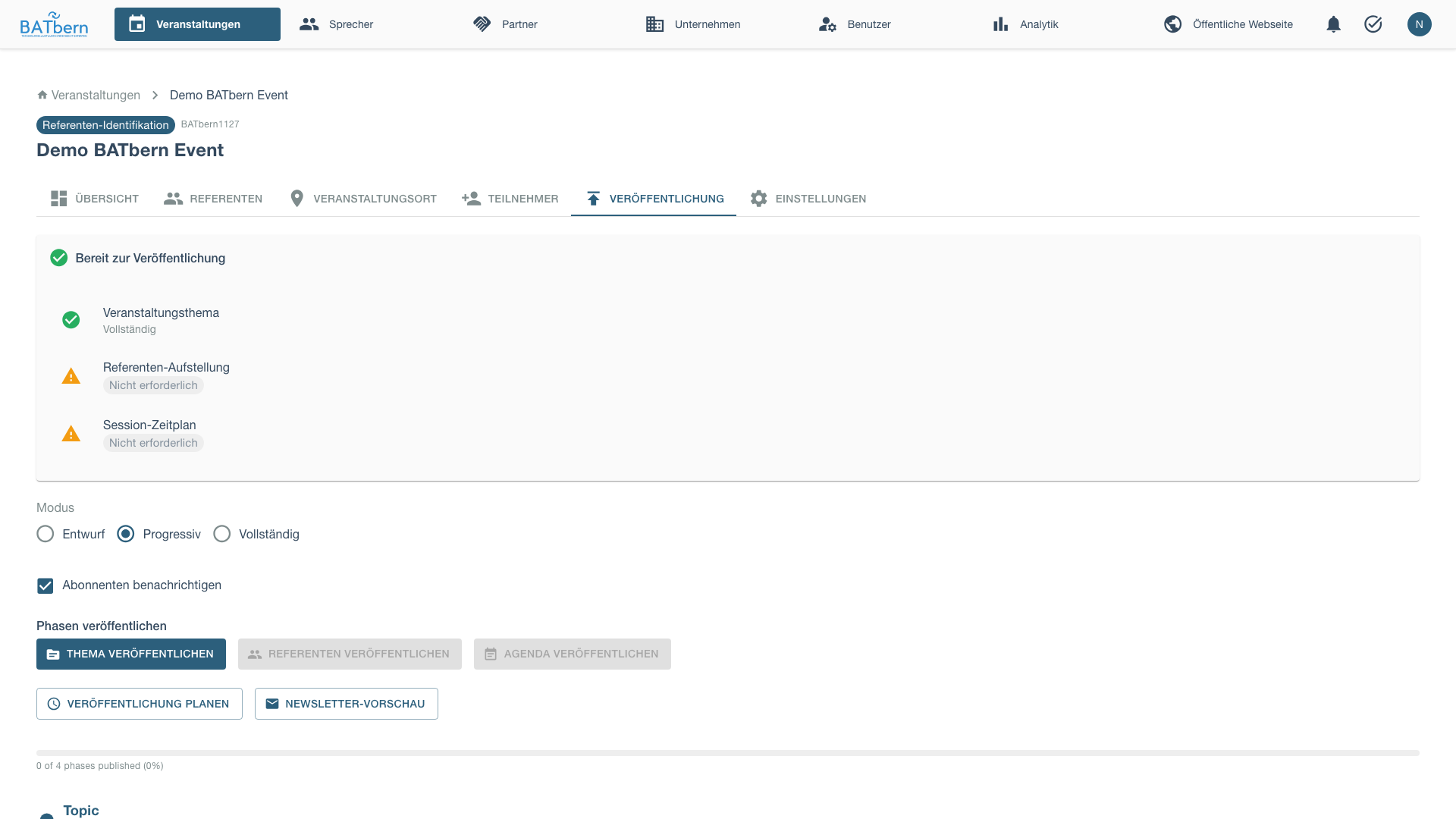
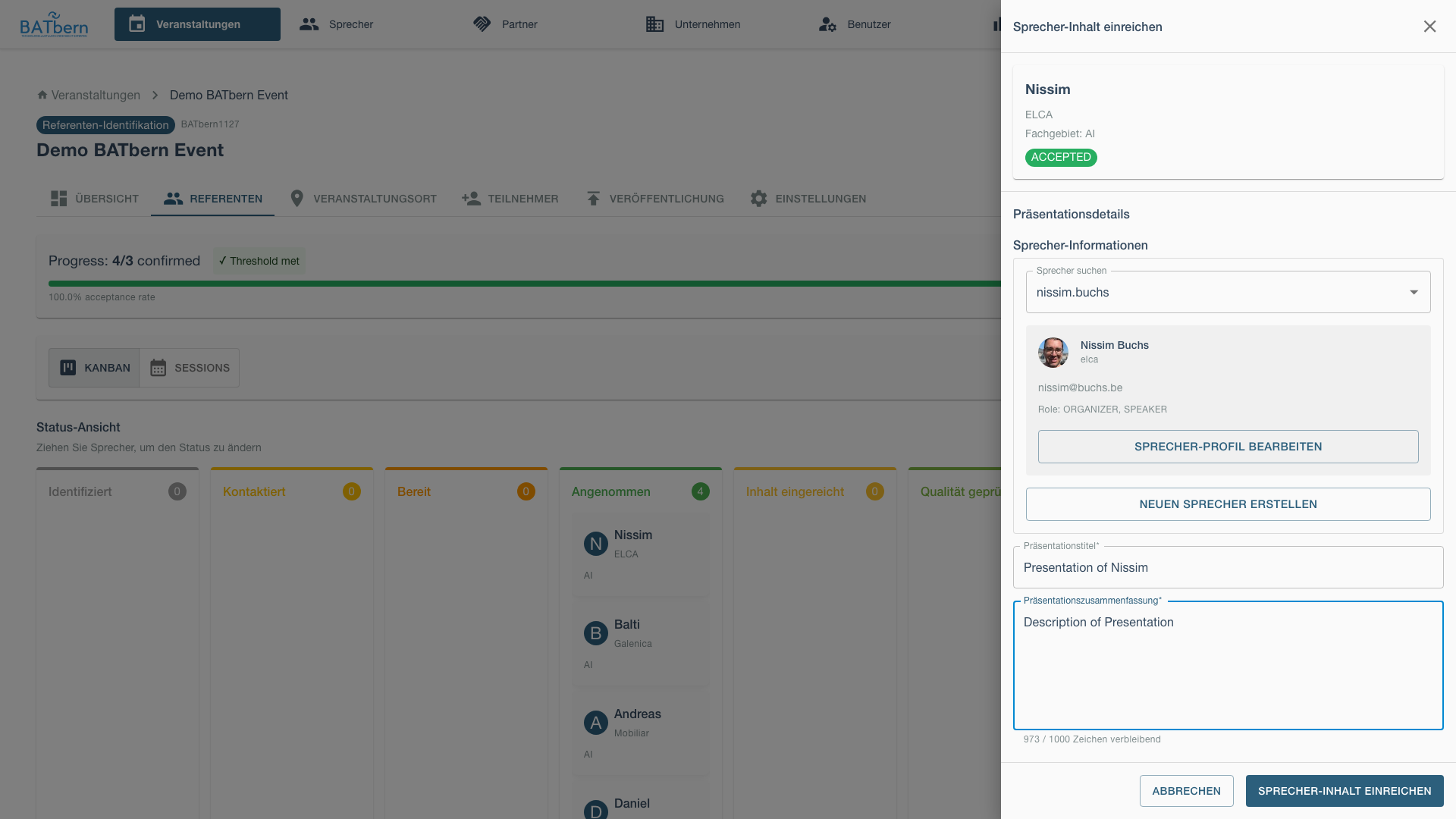
After publishing the topic, organizers can submit content on behalf of speakers using the content submission drawer.
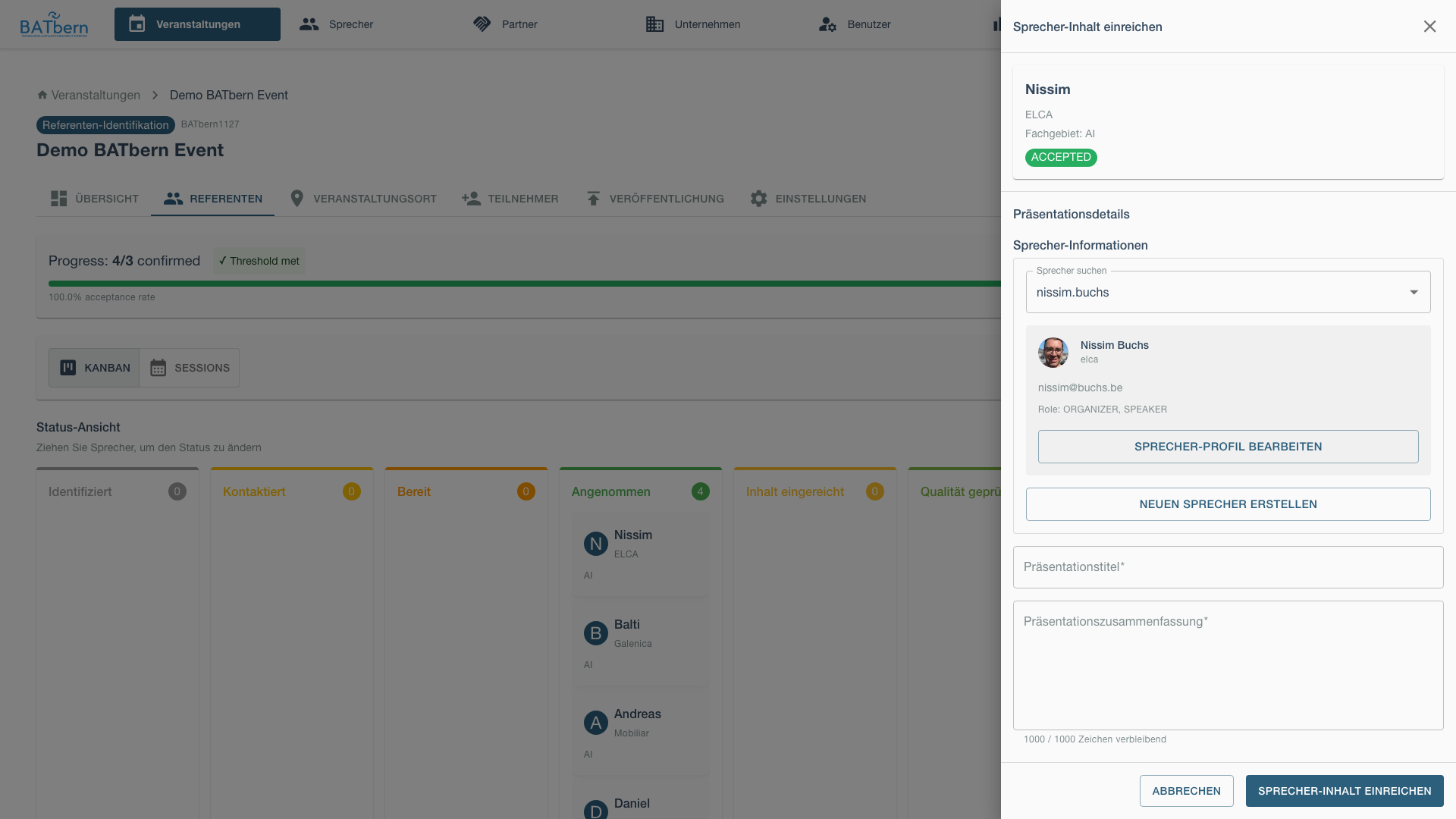
Fill in the presentation details and submit.
Speakers submit through the Cognito-authenticated speaker portal (no magic links):
https://www.batbern.ch/speaker-portal
After logging in (email/password or “Continue with Google”), the portal displays:
BATbern 2025 Content Submission
────────────────────────────────────────
Hi Hans Müller!

Please provide details for your presentation on
"Sustainable Building Materials"

Presentation Title *
[Innovations in Sustainable Building Materials]
Characters: 48 / 100 ✅

Abstract *
[Describe your presentation here...
This session will explore recent innovations...]
Characters: 287 / 1000 ✅

Learning Objectives * (3-5 items)
1. [Understand key sustainable material types]
2. [Evaluate material lifecycle impacts]
3. [Apply selection criteria to projects]
[+ Add Objective]

Target Audience
[▼ Intermediate]

Prerequisites (optional)
[Basic understanding of building materials]

Supporting Materials (optional)
[Choose Files] No files chosen
PDF format, max 10MB

Speaker Biography * (for event program)
[Hans Müller is a Senior Architect at...]
Characters: 145 / 500 ✅

[Save Draft] [Submit for Review]
Content Validation
System validates submissions:
Title Validation:
✅ Valid: "Innovations in Sustainable Building Materials" (48 chars)
❌ Invalid: "A Comprehensive Overview of Recent Innovations and Emerging Trends in Sustainable Building Material Selection and Application for Modern Architecture" (142 chars)
Error: Title must be 100 characters or less
Abstract Validation:
✅ Valid: 287 characters
❌ Invalid: 1042 characters
Error: Abstract exceeds 1000 character limit. Please shorten.
Learning Objectives:
✅ Valid: 4 objectives (within 3-5 range)
⚠️ Warning: 2 objectives (below recommended 3)
❌ Error: 0 objectives (minimum 3 required)
How to Complete
Monitor Submissions
Track content collection progress:
Content Collection Dashboard
────────────────────────────────────────
Target: 12 speakers
Deadline: March 1, 2025

Submitted: 10 ✅
Missing: 2 ⚠️
  - Martin Fischer (Heritage Reuse)
  - Sophie Keller (Digital Transform)

[Send Reminder]
Review New Submissions
When content submitted, organizer reviews for completeness:
New Submission - Hans Müller
────────────────────────────────────────
Title: "Innovations in Sustainable Building Materials" ✅
Abstract: 287 chars ✅
Objectives: 4 ✅
Supporting Materials: sustainable-materials-overview.pdf ✅

[Accept] [Request Revision]
Accept: Content sufficient, advance to quality review (Phase C) Request Revision: Issues found, request speaker revisions
Request Revisions (if needed)
If content needs improvement:
[Request Revision]

Revision Notes for Hans Müller:
────────────────────────────────────────
- Abstract: Please add specific material examples
- Learning Objective #3: Too vague, please specify

Expected revision by: February 25, 2025

[Send Revision Request]
Speaker notified via email, can resubmit via same portal link.
Complete Collection
Once all required speakers submitted content:
Phase B complete! ✅ Ready for Phase C (Quality Review)
Note: Event state remains SPEAKER_IDENTIFICATION (unchanged). Speakers have progressed to CONTENT_SUBMITTED state individually.
Content Quality Tips
Good Title Examples:
- ✅ “Innovations in Sustainable Materials”
- ✅ “Digital Twins for Building Management”
- ✅ “Adaptive Reuse: From Factory to Housing”
Poor Title Examples:
- ❌ “Materials” (too vague)
- ❌ “A Comprehensive Study…” (unnecessarily long)
- ❌ “Part 1: Introduction to…” (implies incomplete)
Good Abstract Structure:
[Hook - 1 sentence]: Why this topic matters
[Context - 2-3 sentences]: Background and current state
[Content - 3-4 sentences]: What will be covered
[Outcome - 1 sentence]: What attendees will gain
Good Learning Objectives:
- ✅ Action-oriented: “Apply”, “Evaluate”, “Design”
- ✅ Specific and measurable
- ✅ Appropriate for target audience level
Poor Learning Objectives:
- ❌ “Understand sustainability” (too vague)
- ❌ “Learn about materials” (not specific)
- ❌ “Be aware of trends” (not action-oriented)
Phase B Completion
Success Criteria
Before advancing to Phase C, confirm:
- ✅ All high-priority candidates contacted
- ✅ Chosen speakers promoted to
READYandINVITED - ✅ Minimum speakers reached
ACCEPTEDstate - ✅ All accepted speakers submitted content
- ✅ Minimum speakers at
CONTENT_SUBMITTEDstate - ✅ Event state = SPEAKER_IDENTIFICATION (unchanged - progresses in Phase D)
Minimum Speaker Requirements
| Event Type | Minimum Confirmed |
|---|---|
| Full-Day | 8 speakers (for 8-12 sessions) |
| Afternoon | 3 speakers (for 2-4 sessions) |
| Evening | 2 speakers (for 1-2 sessions) |
What Happens Next
Phase C: Quality Control begins:
- Content reviewed by organizers
- Quality threshold validation
- Revision requests for subpar content
See Phase C: Quality → to continue.
Troubleshooting Phase B
“Too many speaker declines”
Problem: More than 50% of contacted speakers declined.
Solution:
- Review invitation message (too formal? unclear benefits?)
- Check event date (conflicts with holidays/other events?)
- Expand to backup candidates
- Consider extending timeline for more research
“Content submission deadline missed”
Problem: Speakers not submitting by deadline.
Solution:
- Grant 3-5 day extension (one-time)
- Send urgent reminder with deadline emphasis
- Prepare backup speaker activation
- Mark chronic late-submitters as DROPOUT
“Content quality insufficient”
Problem: Submitted content too vague or brief.
Solution:
- Request specific revisions via portal
- Provide examples of good content
- Offer to help edit if language barrier
- Last resort: Mark as DROPOUT, use backup
Related Topics
- Speaker Management → - Speaker profiles
- Phase A: Setup → - Previous phase
- Phase C: Quality → - Next phase
- Troubleshooting → - Workflow issues
API Reference
POST /api/events/{id}/workflow/step-4                          Complete Step 4 (Outreach)
POST /api/events/{id}/workflow/step-5                          Complete Step 5 (Status Mgmt)
POST /api/events/{id}/workflow/step-6                          Complete Step 6 (Content Collection)
POST /api/v1/events/{code}/speakers/{speakerId}/promote        Promote CONTACTED → READY (provisions Cognito; ORGANIZER only)
PUT  /api/v1/events/{code}/speakers/{speakerId}/status         Update speaker status (8-state allow-list; READY rejected → use /promote)
POST /api/v1/events/{code}/speakers/{speakerId}/content        Submit speaker content (organizer-on-behalf; speakers self-submit via the portal)
GET  /api/v1/events/{code}/speakers/{speakerId}/contact-history Get contact / outreach log
The single writer of
speaker_pool.statusisSpeakerWorkflowService— these endpoints delegate to it.READYis not an acceptedtargetStatusonPUT .../status; promotion runs through the dedicated/promoteendpoint so account provisioning happens exactly once. See ADR-009 and API: Speaker Coordination.
See API Documentation for complete specifications.